

What is the Domain Name to IP Address converter?
The URL to IP Address Converter by Sitechecker is a tool that identifies the IP address of any domain name. By entering a domain URL, the tool resolves its hosting IP, helping you understand where the website is hosted, how it’s configured, and enabling deeper security and technical checks.
How can the tool assist you
Domain to IP conversion: instantly resolves the IP address associated with any domain to display where the site is hosted.
Confirm site ownership: helps verify whether the website belongs to you and guides you to the correct flow – detailed domain data for your own site or a safety check report for external sites.
Check basic security and server setup: identifies server configuration issues, potential vulnerabilities, and provides access to a deeper security analysis.
Key features of the tool
Unified dashboard: offers a centralized dashboard that provides a comprehensive overview of your website’s SEO performance. This dashboard aggregates data from various analyses and SEO monitoring, presenting it in a clear and easily digestible format.
User-friendly interface: designed with user experience in mind, featuring an intuitive interface that makes navigation and operation seamless.
Complete SEO toolset: provides a full suite of SEO tools that cover every aspect of website optimization.
How to use the tool
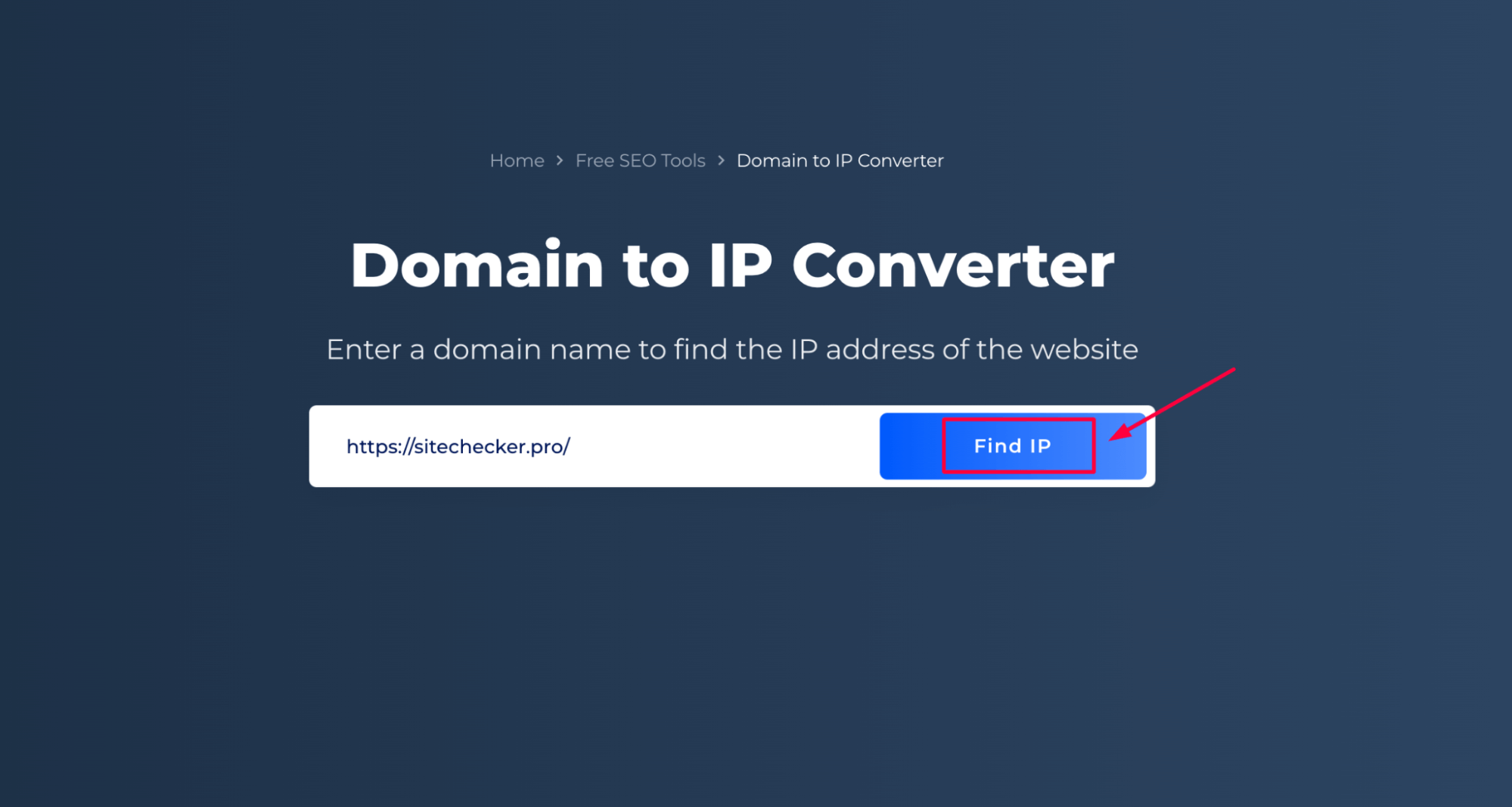
Once you’re on the Website IP Checker page, you’ll see a field where you can enter the domain name you wish to convert. Type the domain name into this field.
After entering the domain name, click “Find IP.”
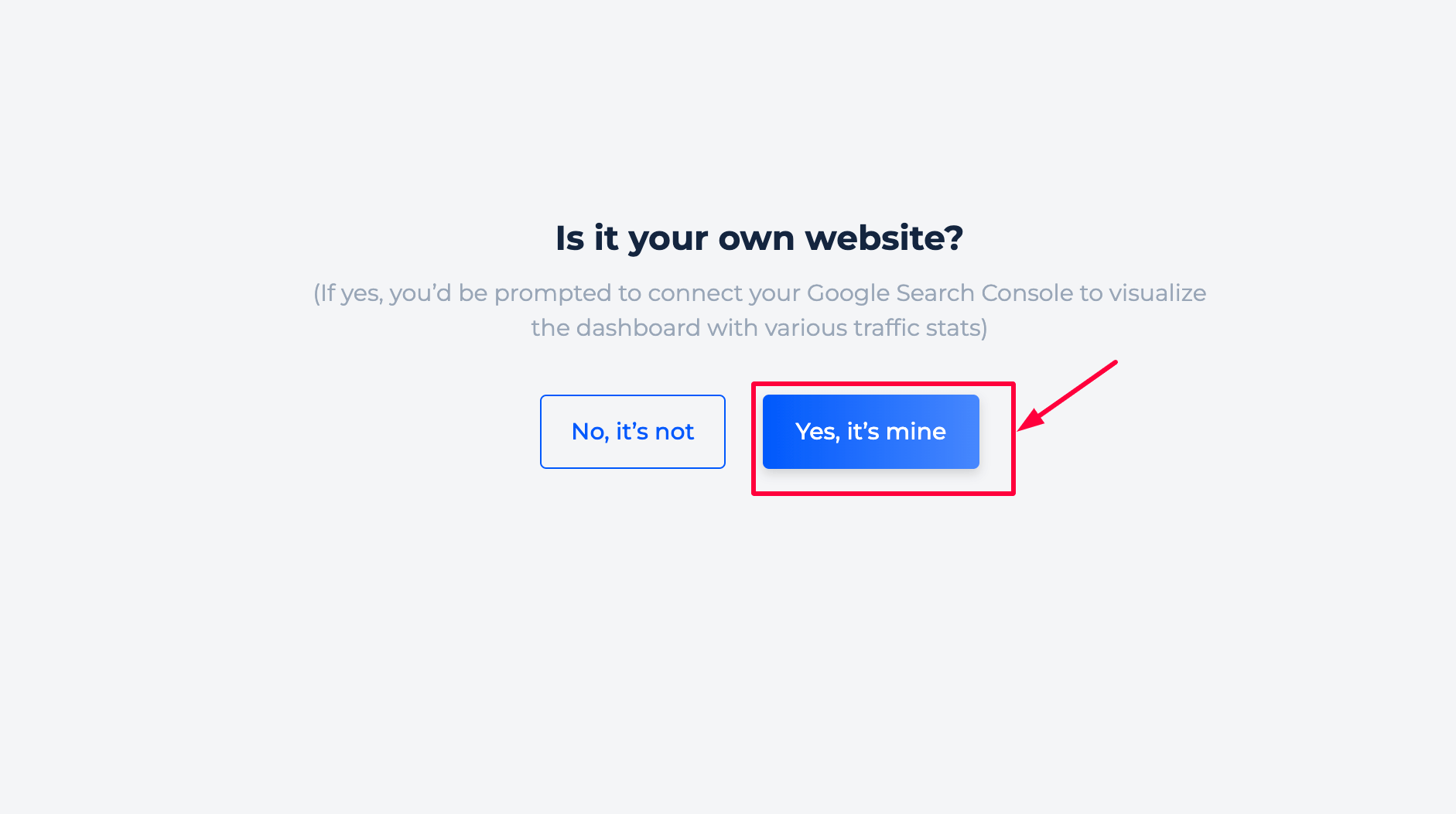
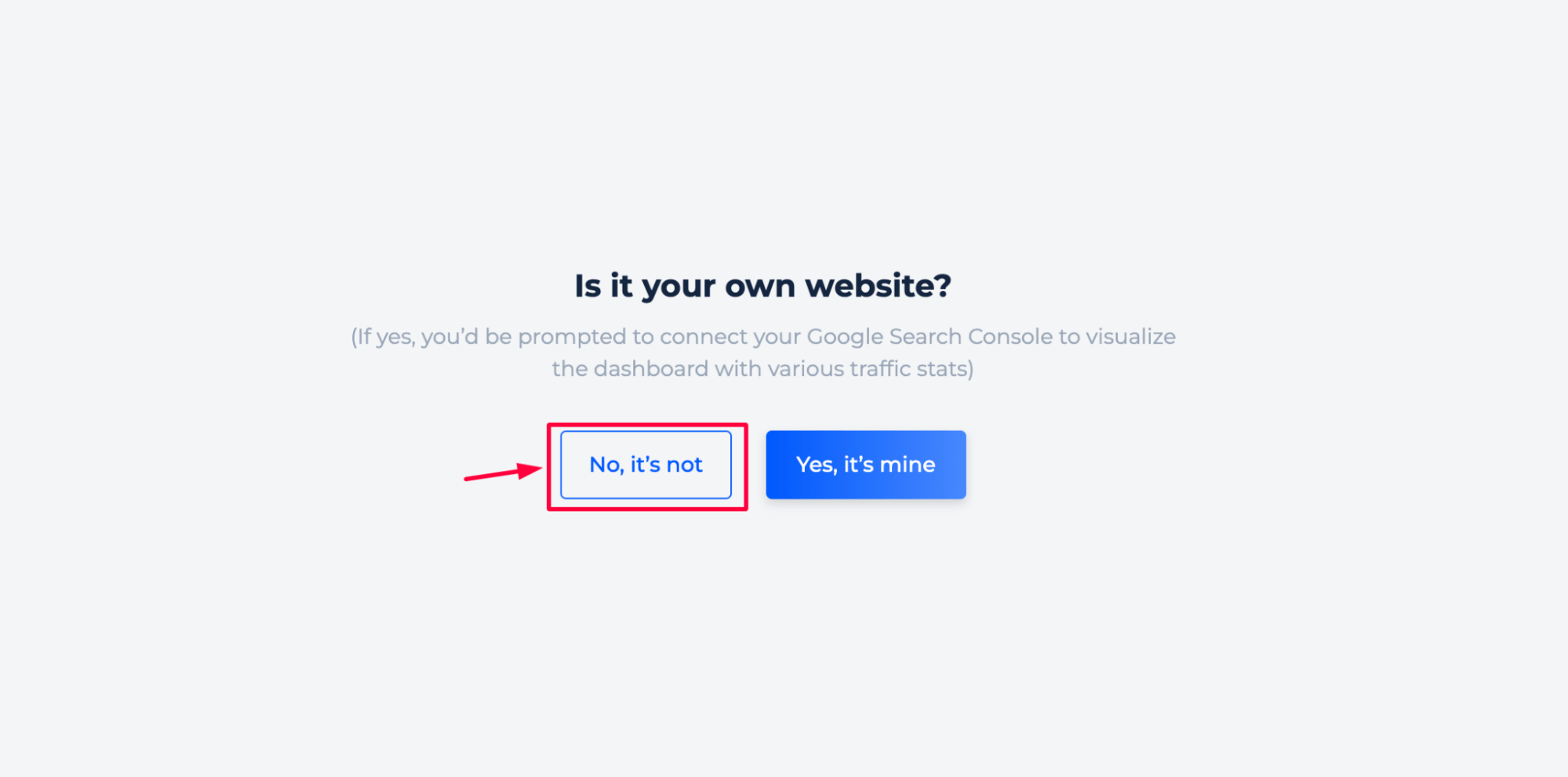
You’ll then be asked whether the website belongs to you or not. Choose “Yes, it’s mine” if you want a complete safety analysis and site audit, or select “No, it’s not” to view the report for an external website.

Domain to IP converter of your site
Step 1: Choose your own website inspection
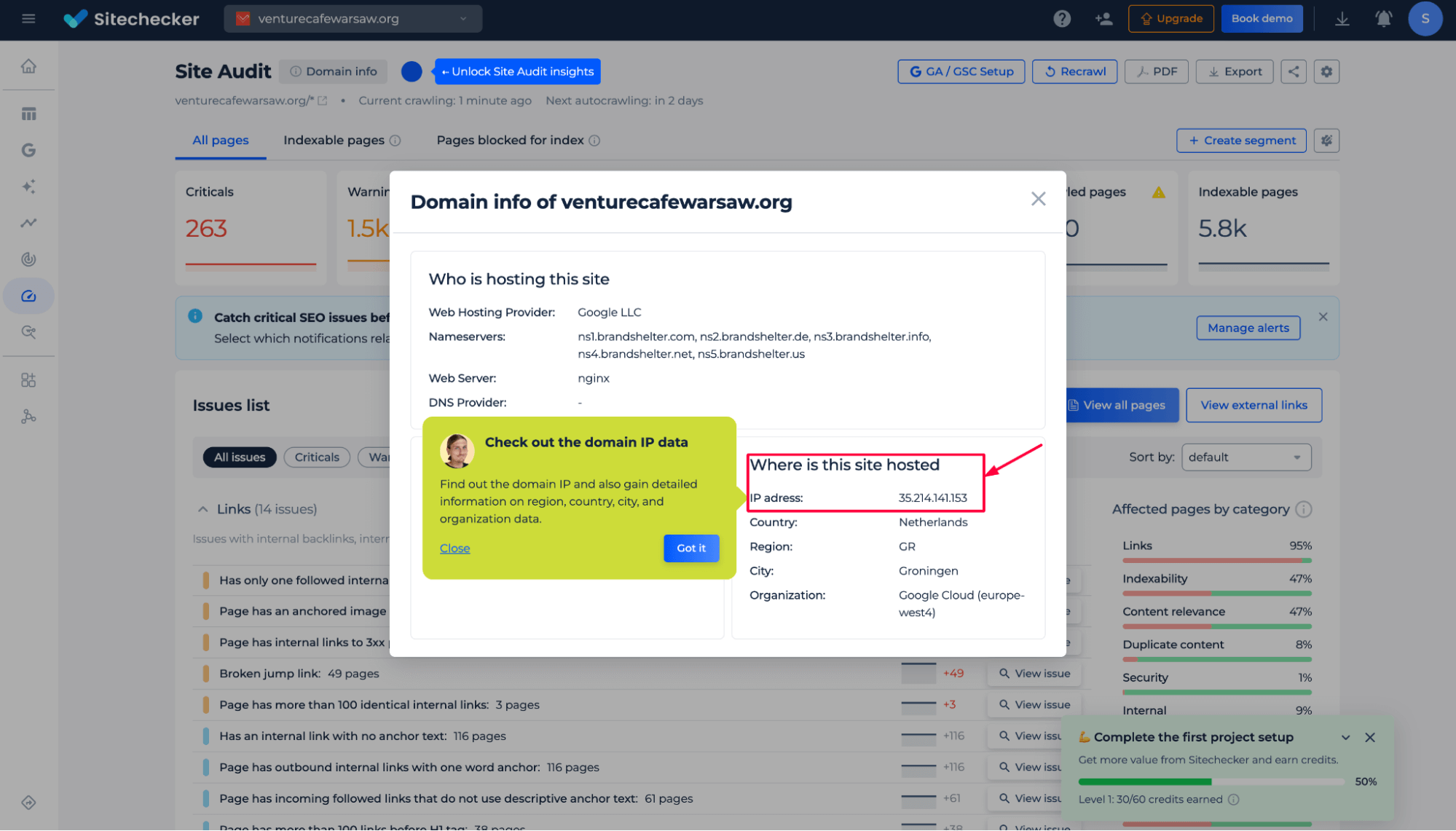
Step 2: Get the results
After selecting that the website belongs to you, you’ll be taken to the Domain Info view inside your first project. Here you’ll see detailed hosting data, including the website’s IP address, server location, country, organization, and other domain-level technical parameters.
This information helps you understand where your site is hosted and how its infrastructure is configured.
Additional features of the domain for the IP check
Beyond identifying the website’s IP address and hosting location, the tool provides access to a comprehensive security issues overview within the Site Audit module. This section highlights vulnerabilities related to HTTPS, server configuration, mixed content, XSS, and click-jacking protection, SSL validity, and other factors that may expose your website to risks.
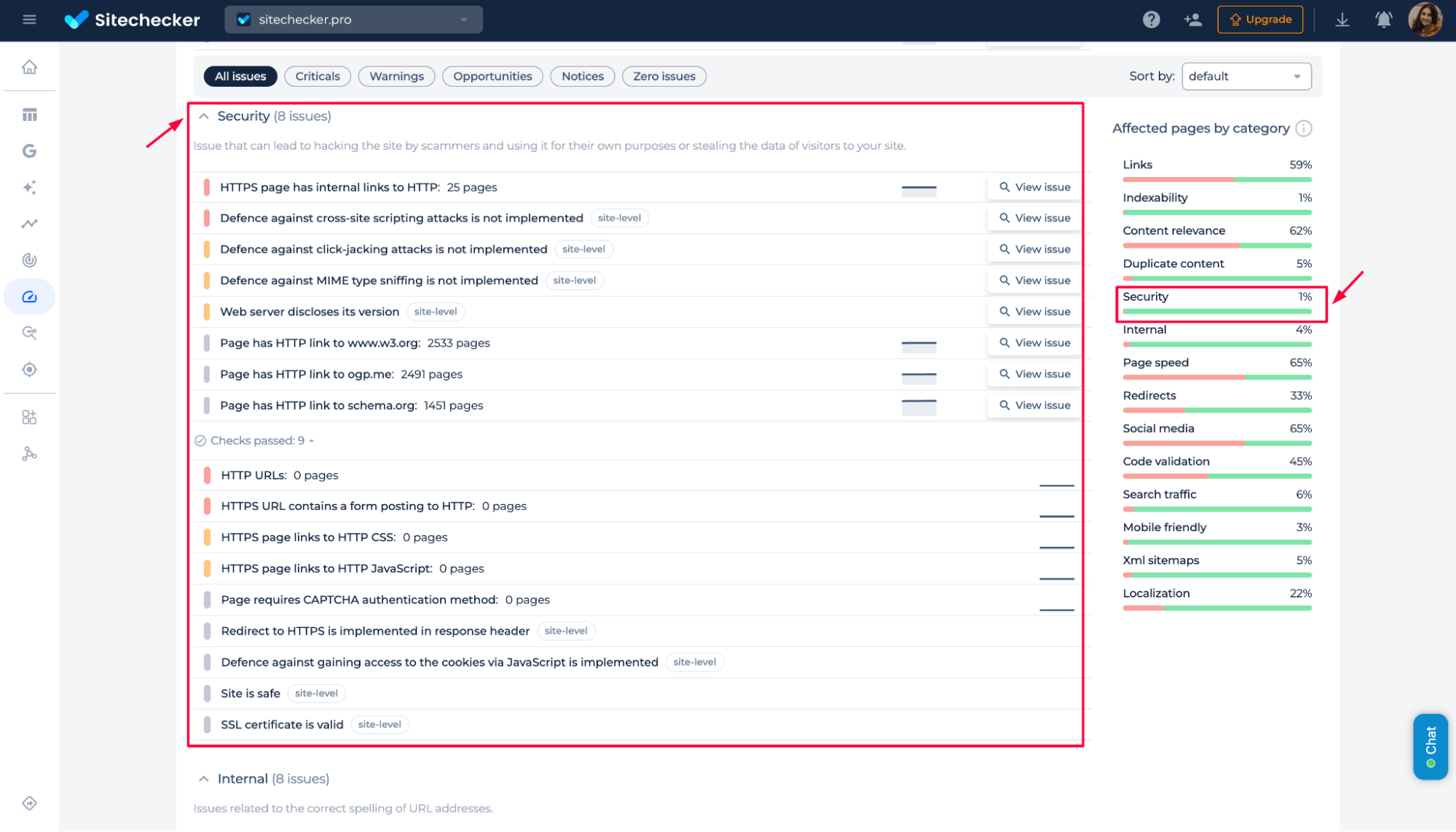
You can review each issue in detail, understand its impact, and get recommendations on how to fix it to keep your website secure and compliant.
Domain to IP converter of another site
Step 1: Select that you’re checking someone else’s website
Step 2: Get the results
You’ll be redirected to the Website Safety Report for the domain you’re checking. The report displays the website’s IP address, server location (including country, region, and city), and hosting organization.
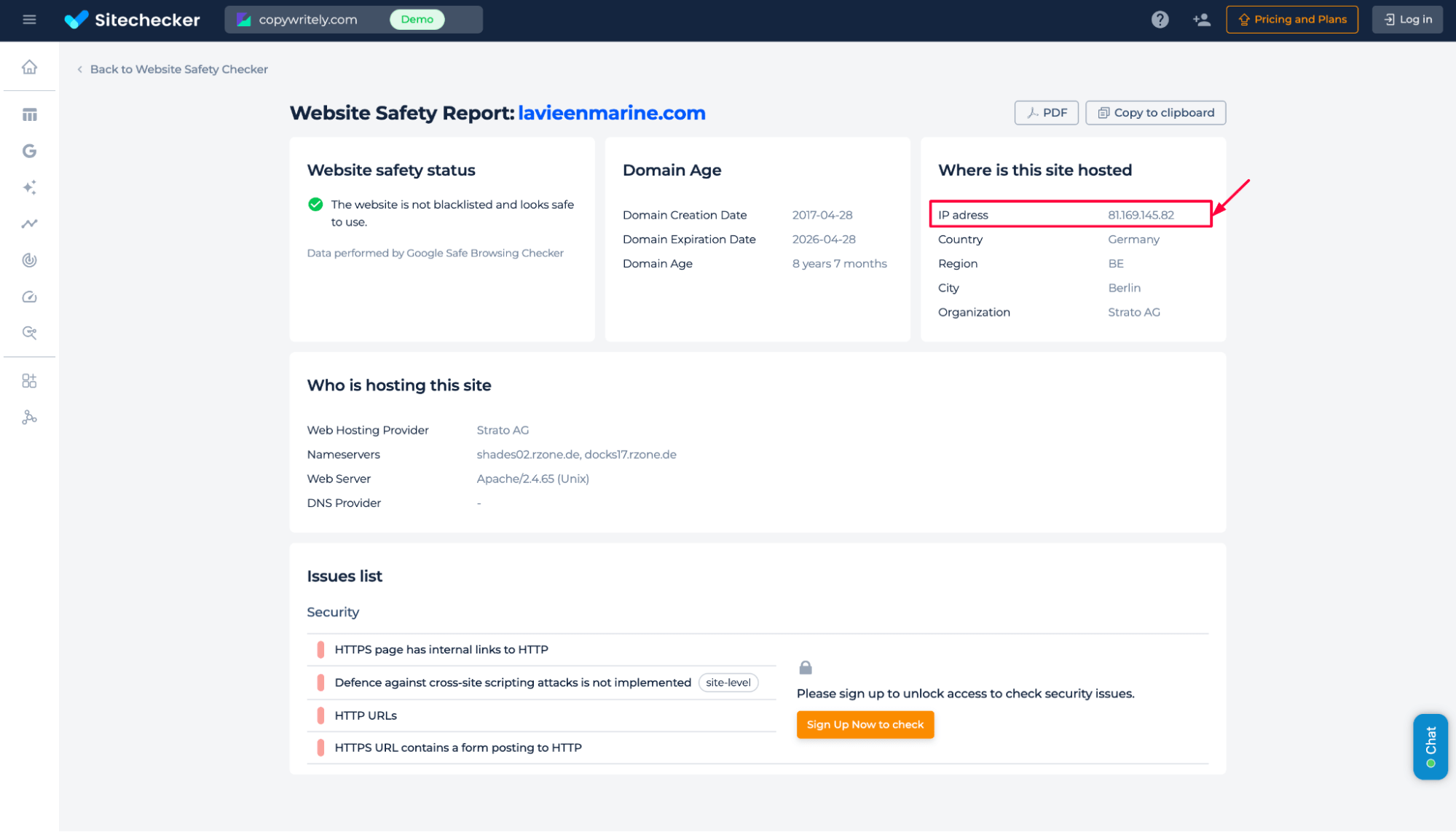
Sign up to receive security findings, including mixed content, HTTP links, or missing protection headers.
Final idea
The Domain to IP Converter is a simple but powerful tool for uncovering where any website is hosted and how its infrastructure is configured. Whether you’re checking your own site or analyzing an external domain, the tool delivers precise hosting data, IP information, and essential security insights. For website owners, it unlocks a deeper technical and SEO audit that helps improve performance, security, and reliability.
For external sites, it provides a quick safety overview with the option to explore security issues in more detail.