GA4 MCP for answers about your traffic
Ask Claude or ChatGPT about sessions, key events and landing pages. No Google Cloud setup.
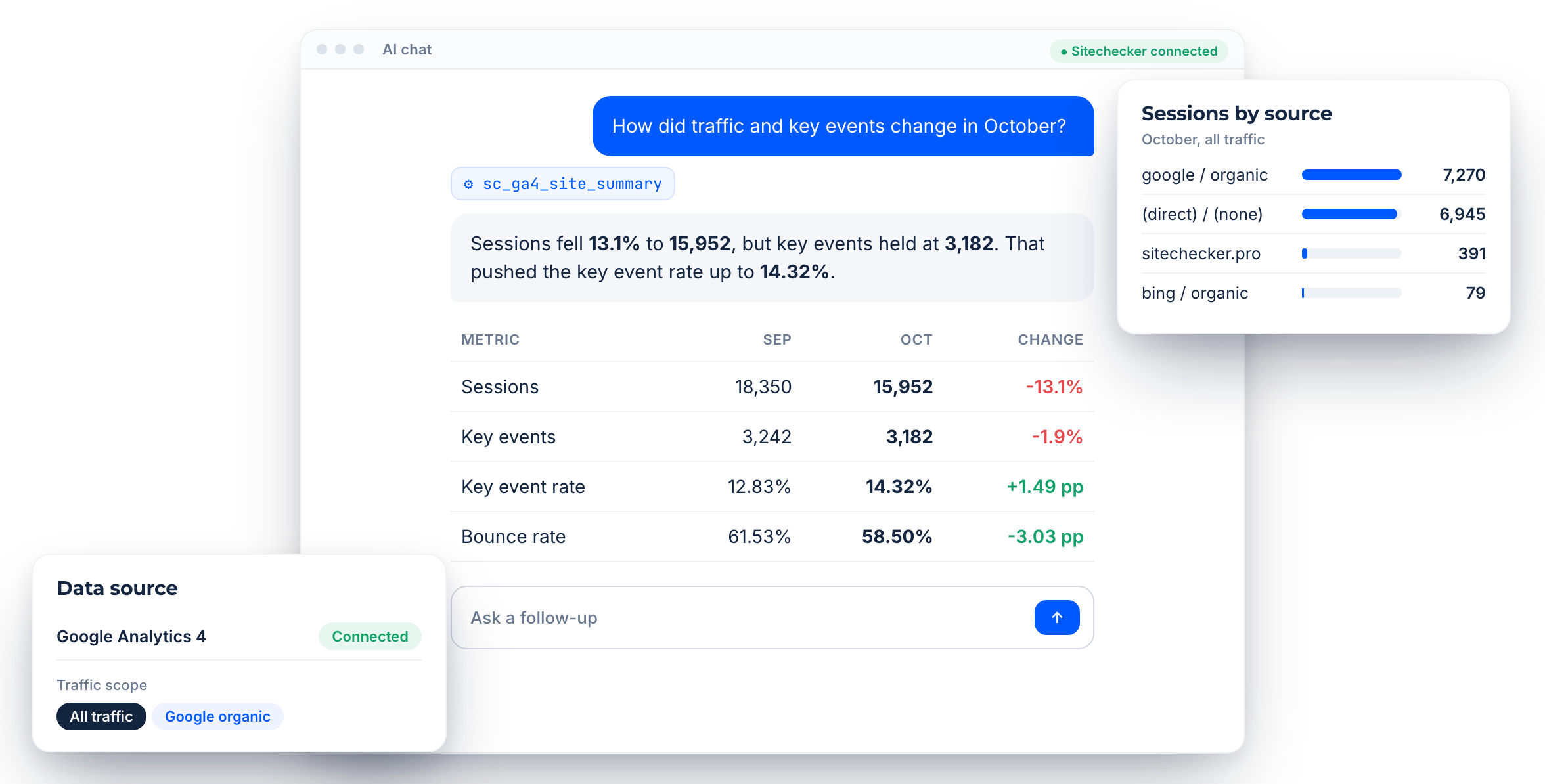
Connected GA4
Uses the GA4 property already linked to your project.
Organic or all traffic
Switch between Google organic and total sessions in one question.
Previous period
Every summary comes with the change against the period before.
Core features of the Sitechecker GA4 MCP
Site traffic in one ask
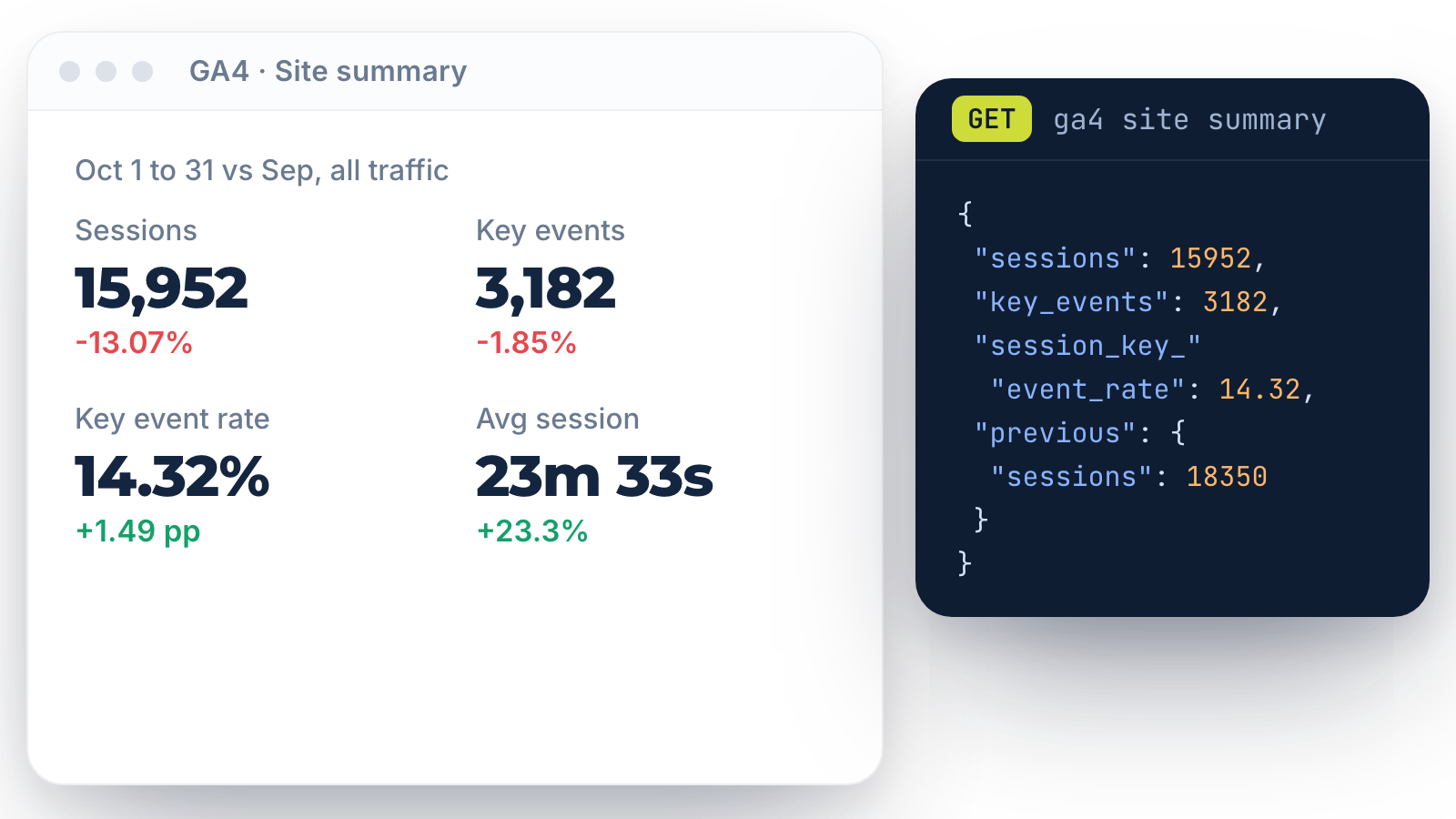
The GA4 site summary returns sessions, bounce rate, average session duration, key events and key event rate for any date range, with the previous period next to it.
Ask “How did sessions and key events change last month?” and get the numbers and the difference in one answer.
Ask “How did sessions and key events change last month?” and get the numbers and the difference in one answer.
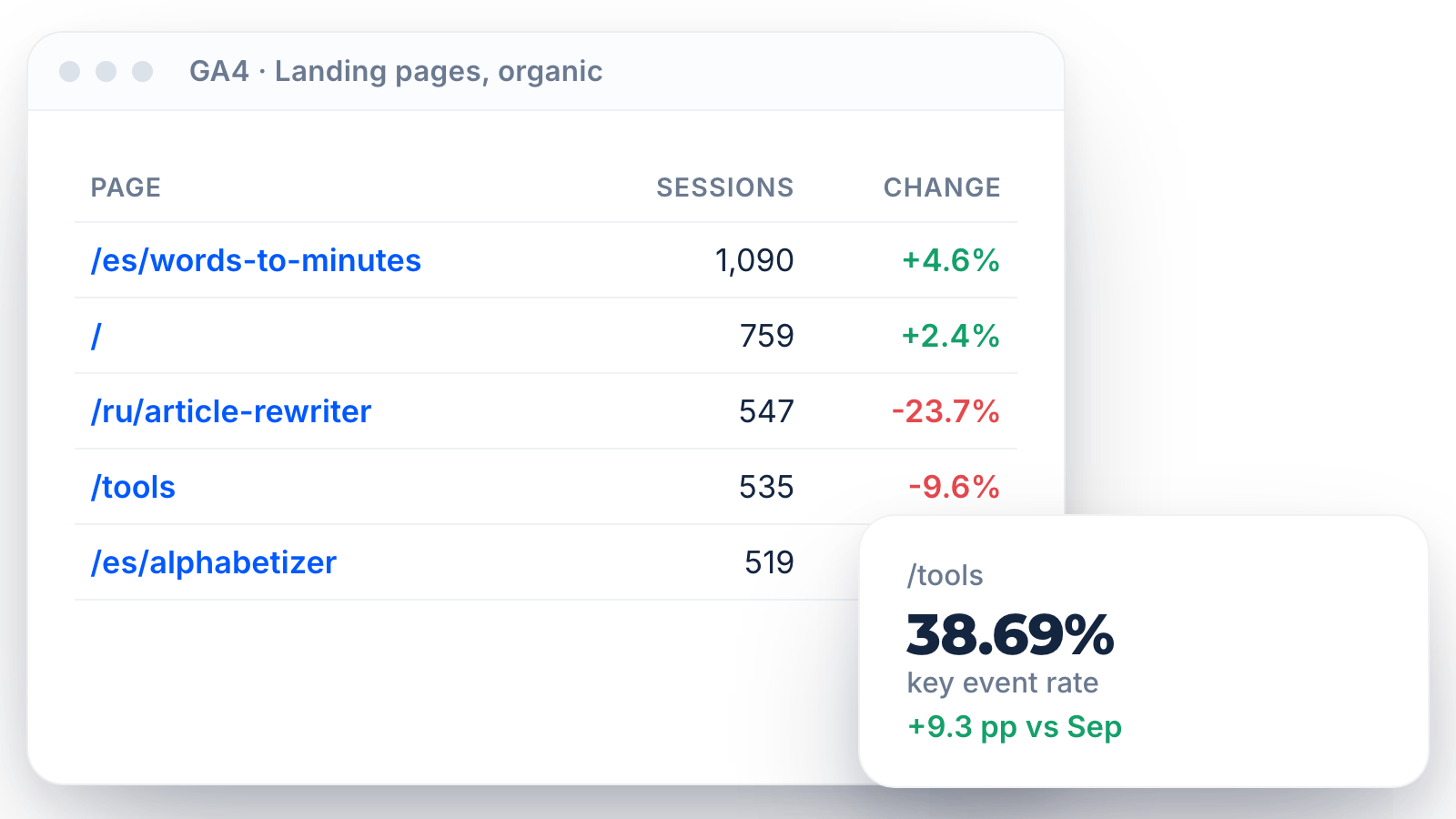
Landing page performance
Page reports return the same GA4 metrics for every landing page, sorted by the metric you choose. Page history shows how one URL performed over time.
Use it to find pages that lost sessions or convert worse than last month.
Use it to find pages that lost sessions or convert worse than last month.
Traffic sources
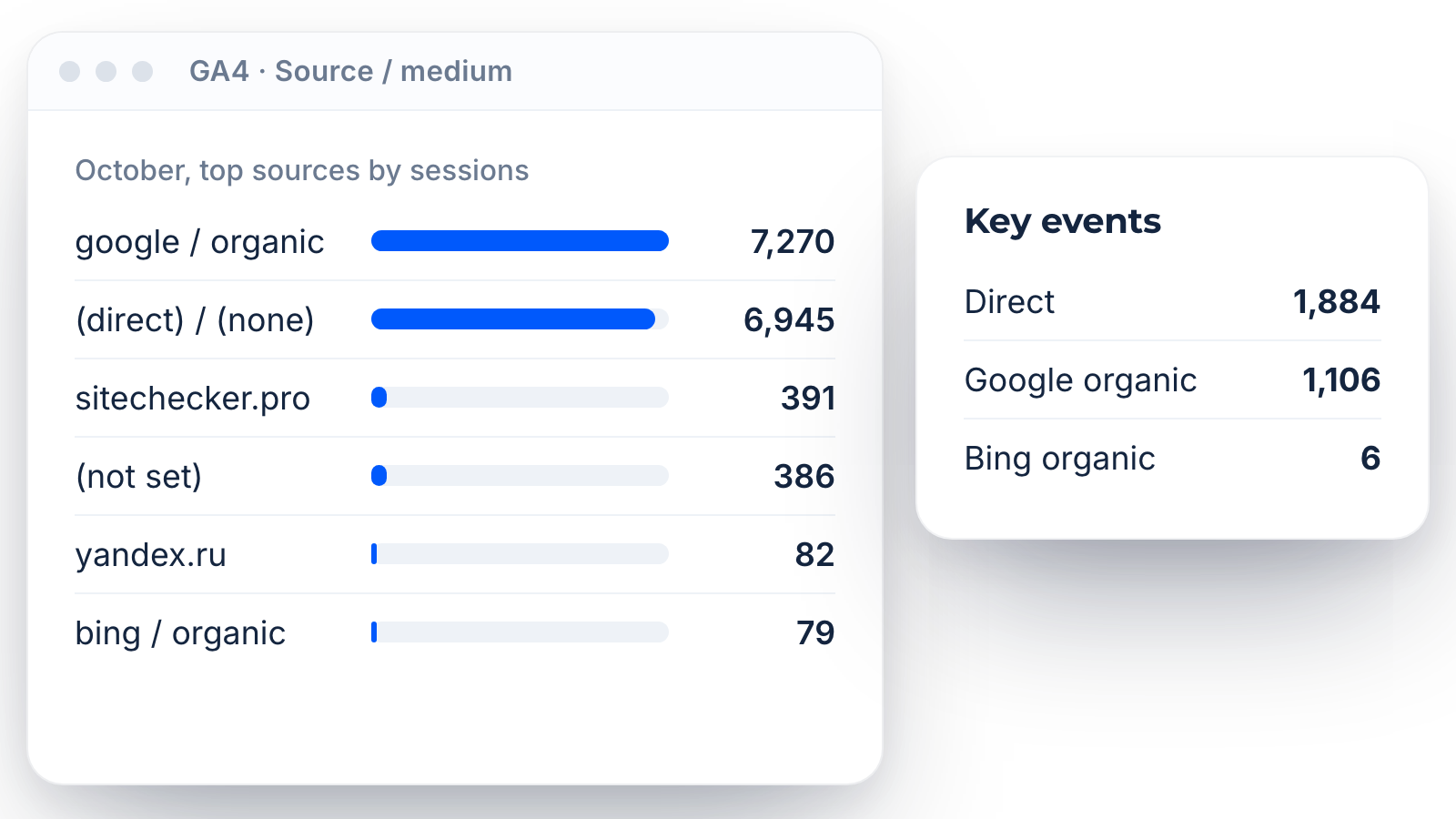
For all traffic, the assistant can split sessions by source and medium, up to the top 15 rows. For SEO questions it keeps the scope to Google organic search.
Ask which sources brought key events, or how organic traffic compares with the total.
Ask which sources brought key events, or how organic traffic compares with the total.
Inside the GA4 MCP server
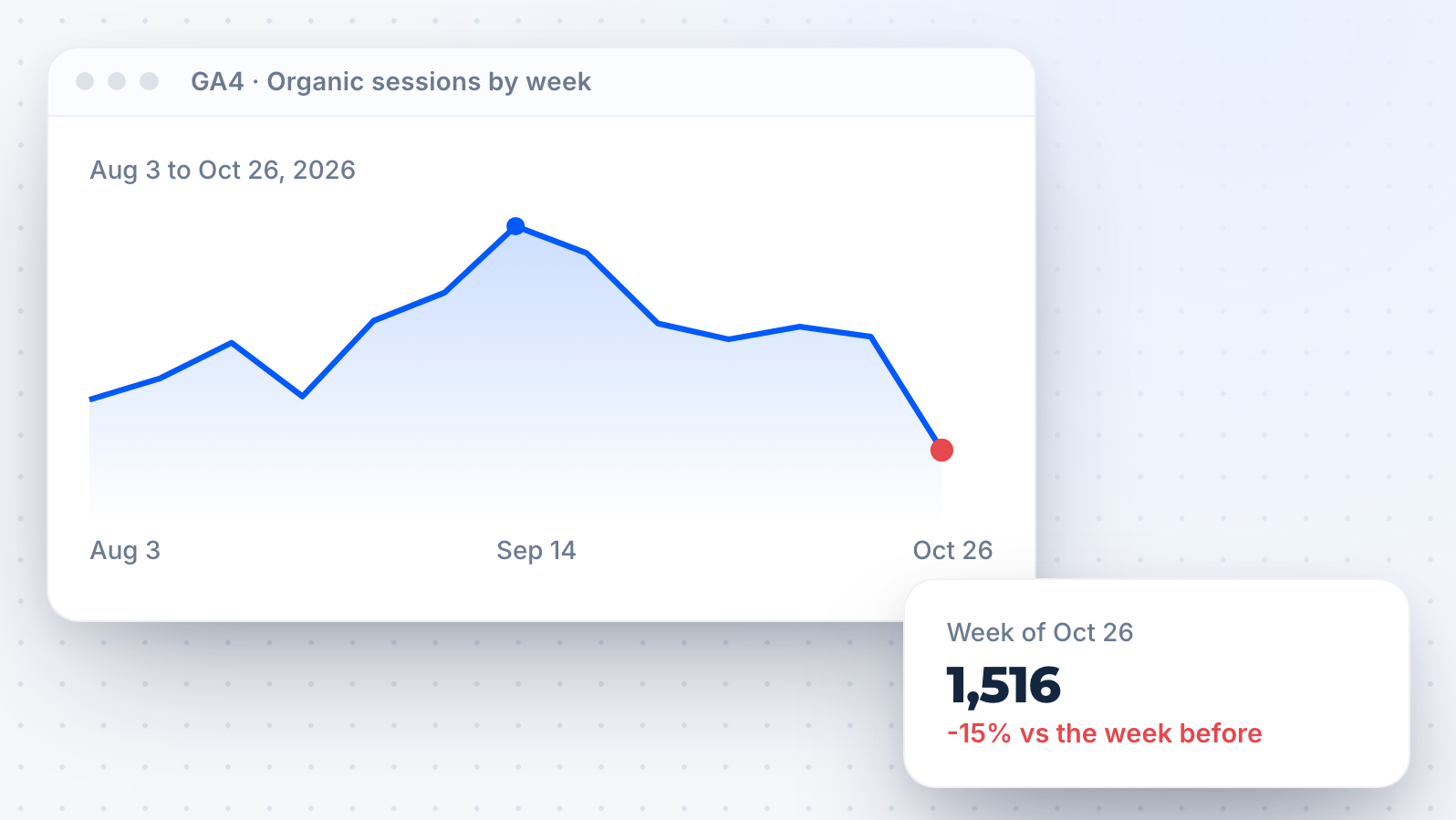
Trends over time
History reports return a time series for one GA4 metric, for the whole site or one page. The assistant can describe the trend or point to the day a drop started.
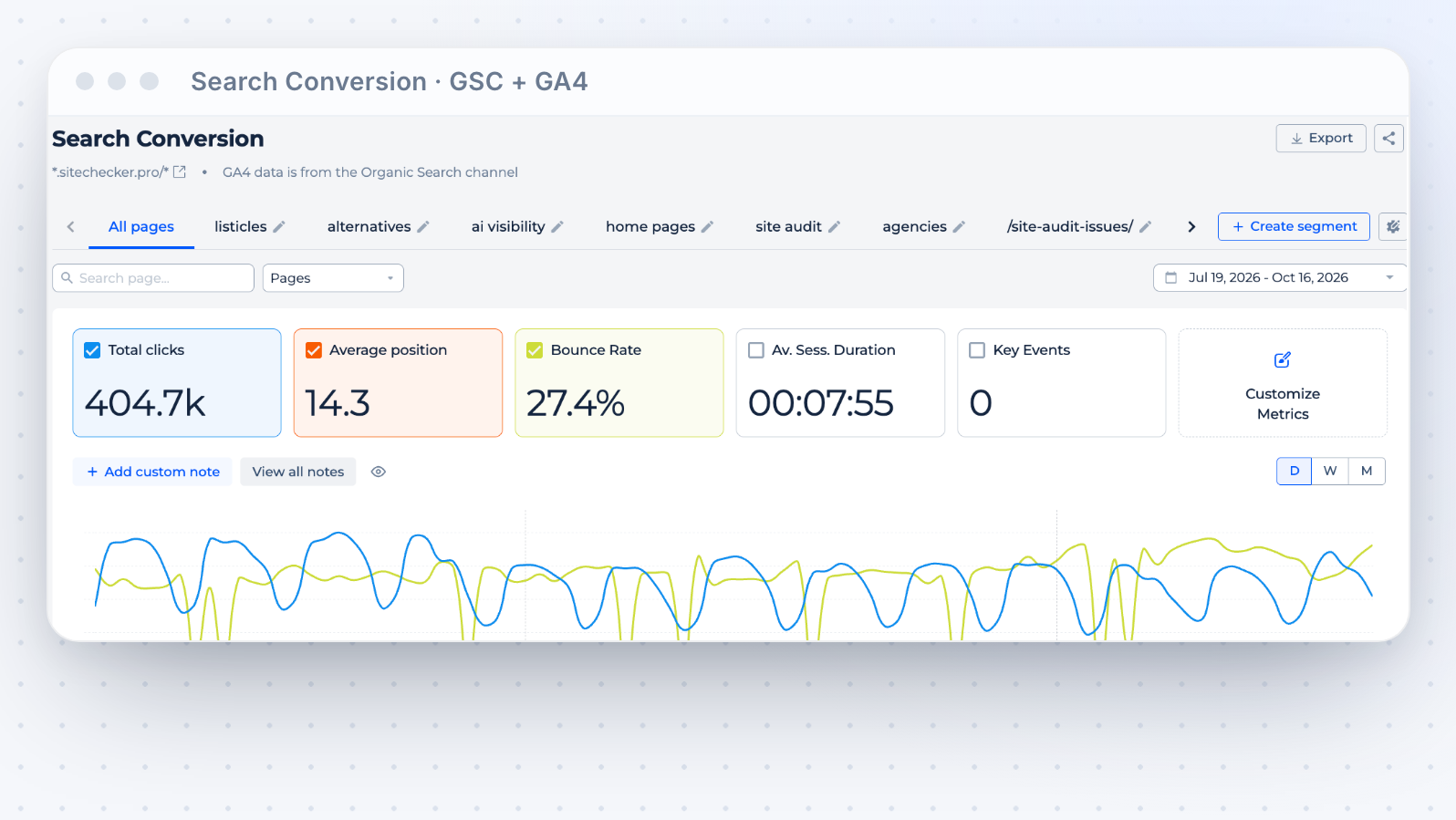
GA4 next to Search Console
Search Conversion reports join Search Console clicks and impressions with Google organic GA4 sessions and key events for a page or segment.
See the Search Console side on the Google Search Console MCP page.
See the Search Console side on the Google Search Console MCP page.
AI referral traffic
AI Traffic reports show GA4 sessions and key events from ChatGPT, Gemini, Perplexity and other AI chats, with the landing pages they reached.
Pair it with mentions and citations on the AI visibility MCP page.
Pair it with mentions and citations on the AI visibility MCP page.


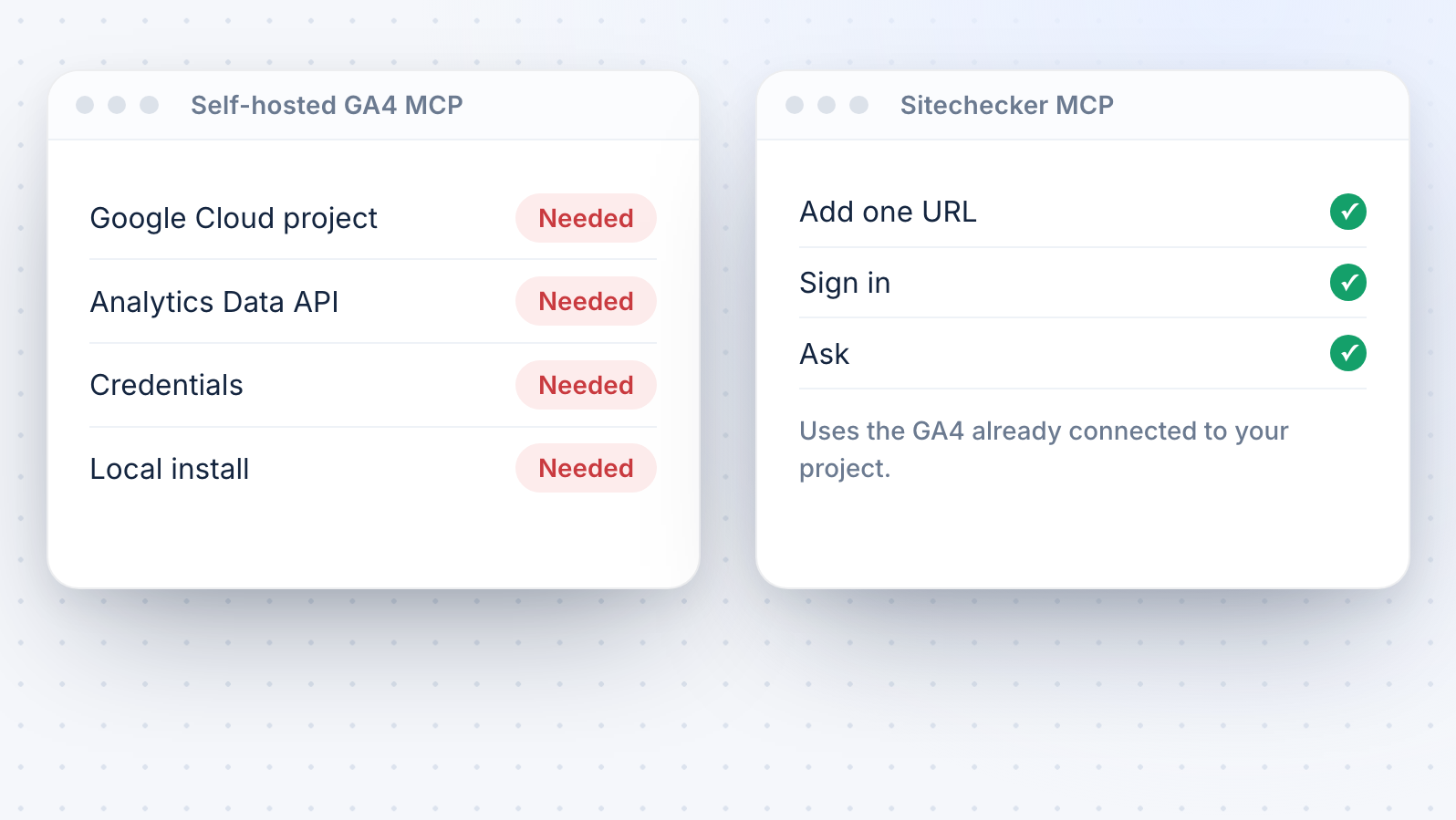
No Google Cloud project
Most self-hosted GA4 MCP servers need a Google Cloud project, the Analytics Data API, credentials and a local install.
Sitechecker MCP is hosted and uses the GA4 connection you already have in Sitechecker.
Sitechecker MCP is hosted and uses the GA4 connection you already have in Sitechecker.
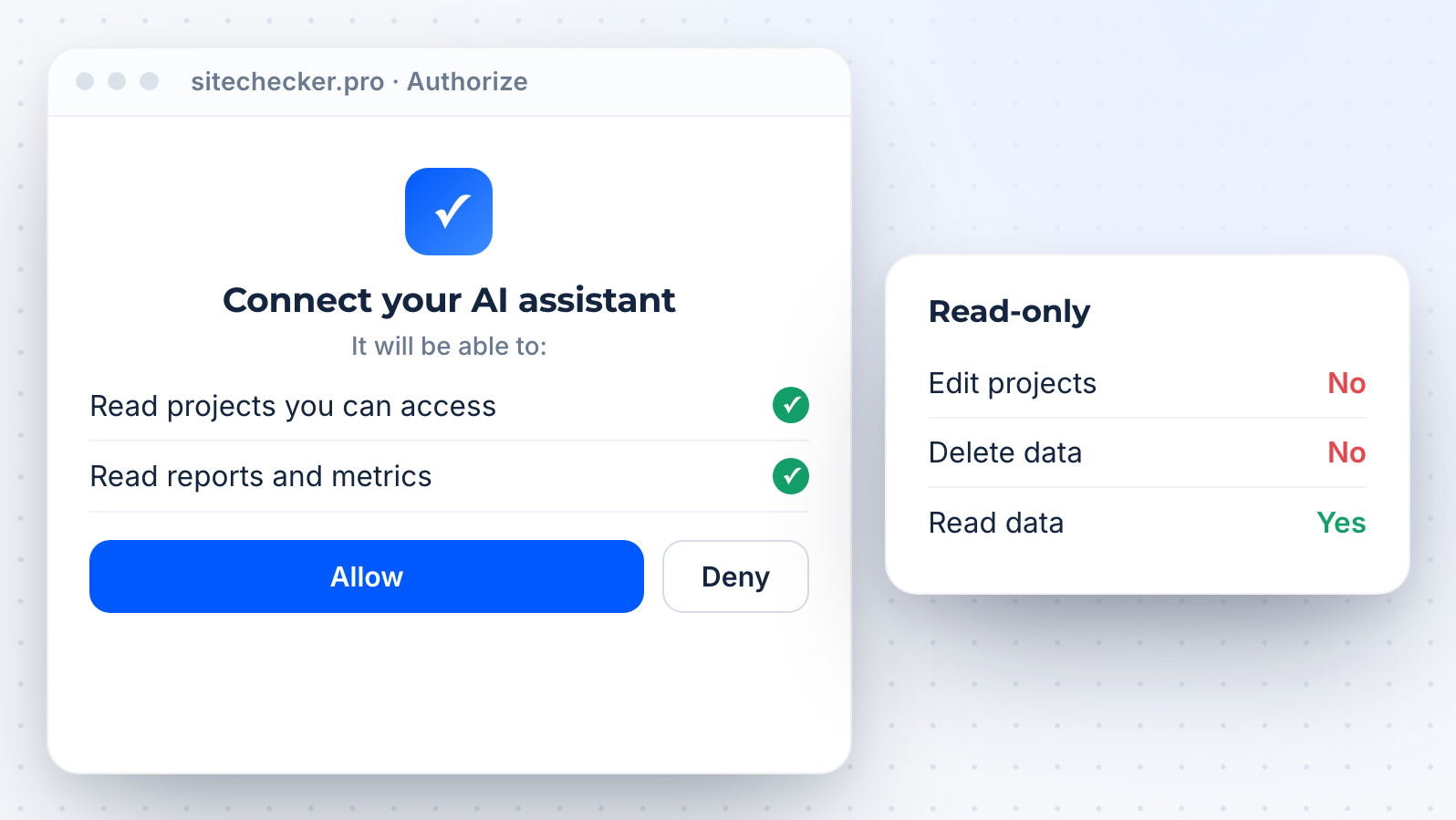
Read-only and private
All Sitechecker MCP tools are read-only. The assistant cannot edit or delete anything, and it sees only the projects your Sitechecker account can access.
Built for agencies
Ask about any client project with connected GA4 in the same chat. MCP access is unlimited on every plan.
Need raw JSON for dashboards? All modules are on the Sitechecker API page.
Need raw JSON for dashboards? All modules are on the Sitechecker API page.








Gör som 1,000+ företag som växer med Sitechecker
Alla våra klienter växer efter de använder plattform. Vår klient Hospital Amazônia hade en tillväxt på mer än 13,500 besök från Mars till September.

Efter två månader såg vi tydliga förbättringar i rankning och organisk trafik. Backlink och Rank Tracker gör det enkelt att överväga förändringar, men vår sajt behövde även regelbunden utvärdering av SEO. Vi körde Sitecheckers kontroll en gång på vecka, och det bidrog till att förbättra våra SEO-resultat. Denna granskning är enkel då den bidrar till snabba och effektiva optimering av sajten.

Innan vi använde Sitechecker var vår rankning ungefär #4 (mobil SERP) gällande de viktigaste nyckelorden. Nu är vi #1!



FAQ
What is a GA4 MCP server?
A GA4 MCP server connects an AI assistant to Google Analytics 4 data through the Model Context Protocol. The assistant can then answer traffic questions with real numbers from your property.
Sitechecker MCP gives Claude, ChatGPT and other clients read-only access to the GA4 data in your Sitechecker projects.
Sitechecker MCP gives Claude, ChatGPT and other clients read-only access to the GA4 data in your Sitechecker projects.
Which GA4 metrics can I ask about?
Sessions, bounce rate, average session duration, key events and session key event rate, for the whole site or for each landing page.
You can compare them with the previous period and switch between Google organic and all traffic.
You can compare them with the previous period and switch between Google organic and all traffic.
Do I need Google Cloud or API credentials?
No. Connect GA4 to your Sitechecker project once, add mcp.sitechecker.pro/mcp to your AI client and sign in. There is no Google Cloud project, no service account and no local server.
Is it included in my plan?
Sitechecker MCP is available on all plans: Basic, Standard, Premium and Custom. Access is unlimited, with no monthly cap on tool calls.
Each connection can make up to 10 tool calls per second. If the limit is reached, the server tells the assistant how long to wait.
Each connection can make up to 10 tool calls per second. If the limit is reached, the server tells the assistant how long to wait.
Does it cover every GA4 report?
No. The GA4 tools cover site and page metrics, organic versus total traffic, a source and medium breakdown and AI referral traffic. Custom dimensions, individual events and audiences are not available.
For those, open GA4 itself.
For those, open GA4 itself.
Can the assistant change my GA4 settings?
No. All MCP tools are read-only. The assistant reads metrics but cannot change your GA4 property, your Sitechecker project or any setting.