SEO MCP server with live data for your AI assistant
Connect Claude, ChatGPT or Codex to your Sitechecker projects with one URL. Ask about audits, rankings, Search Console, GA4 and AI visibility in plain language.
Hosted by Sitechecker. Nothing to install and no API key to paste.
Hosted by Sitechecker. Nothing to install and no API key to paste.
Hosted server
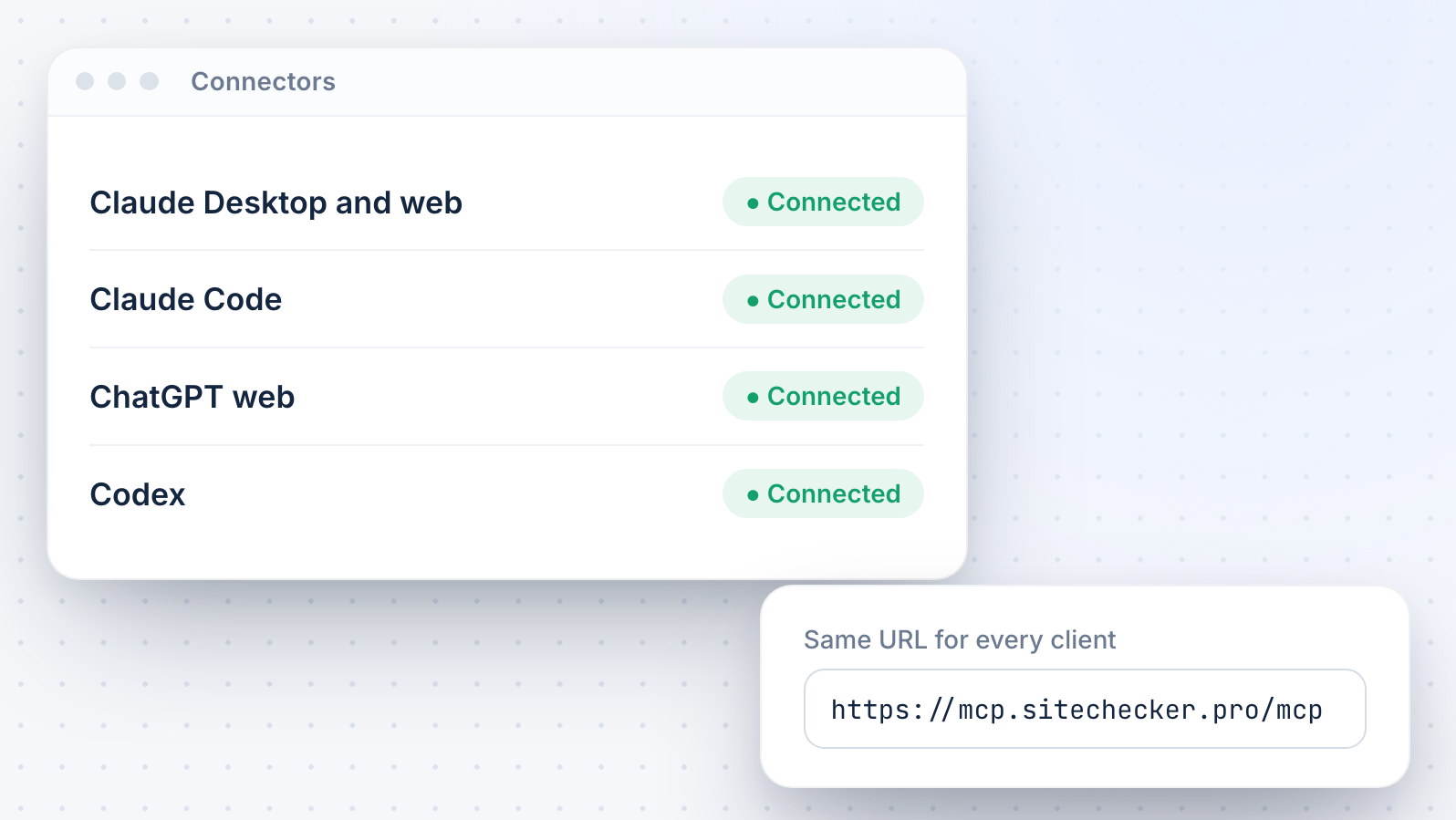
One URL: mcp.sitechecker.pro/mcp. No local install.
OAuth sign-in
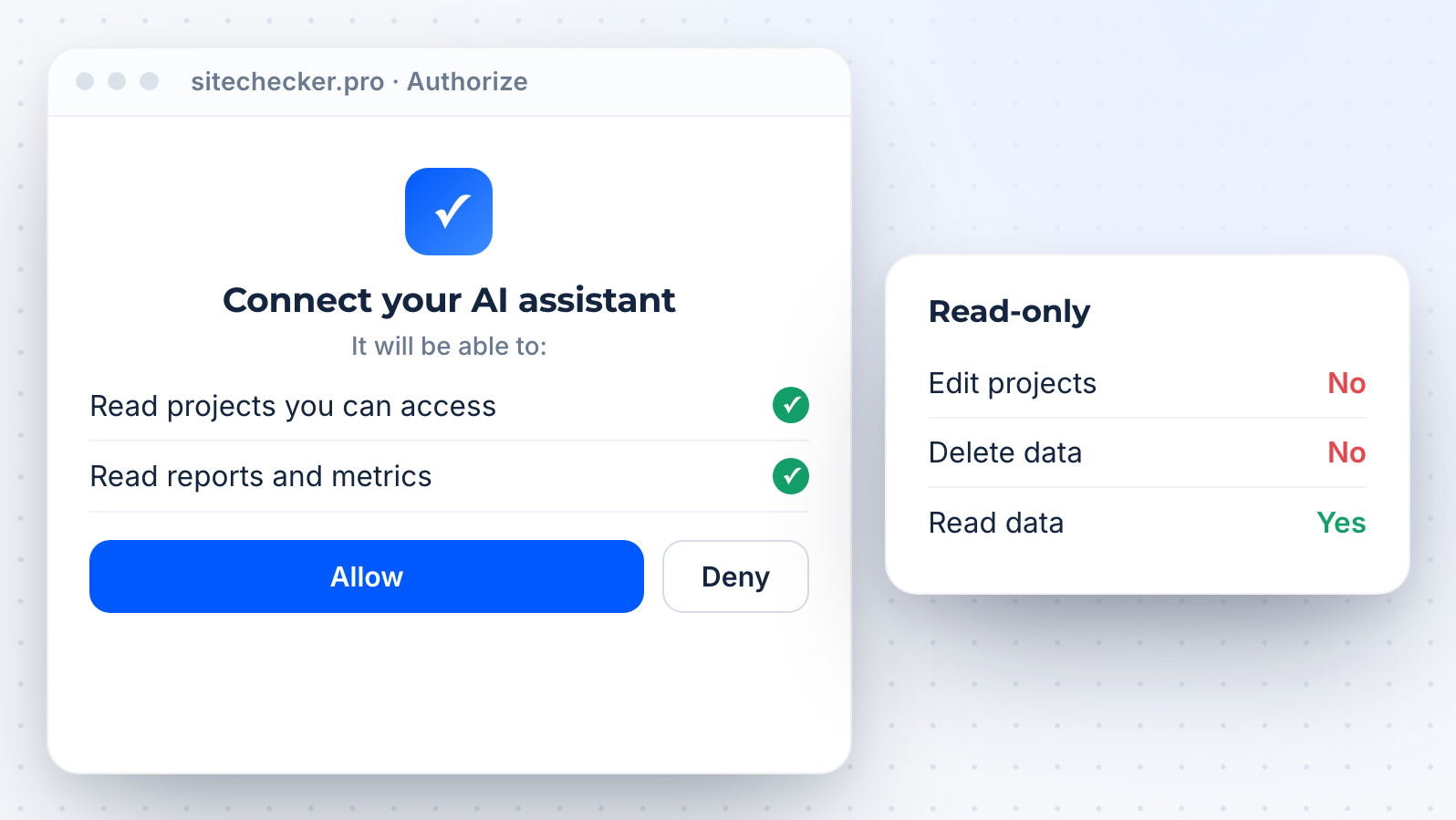
Approve read-only access with your Sitechecker account.
Six data sources
Audit, monitoring, rankings, GSC, GA4 and AI visibility in one connection.
Core features of the Sitechecker MCP server for SEO
Connect in 3 steps
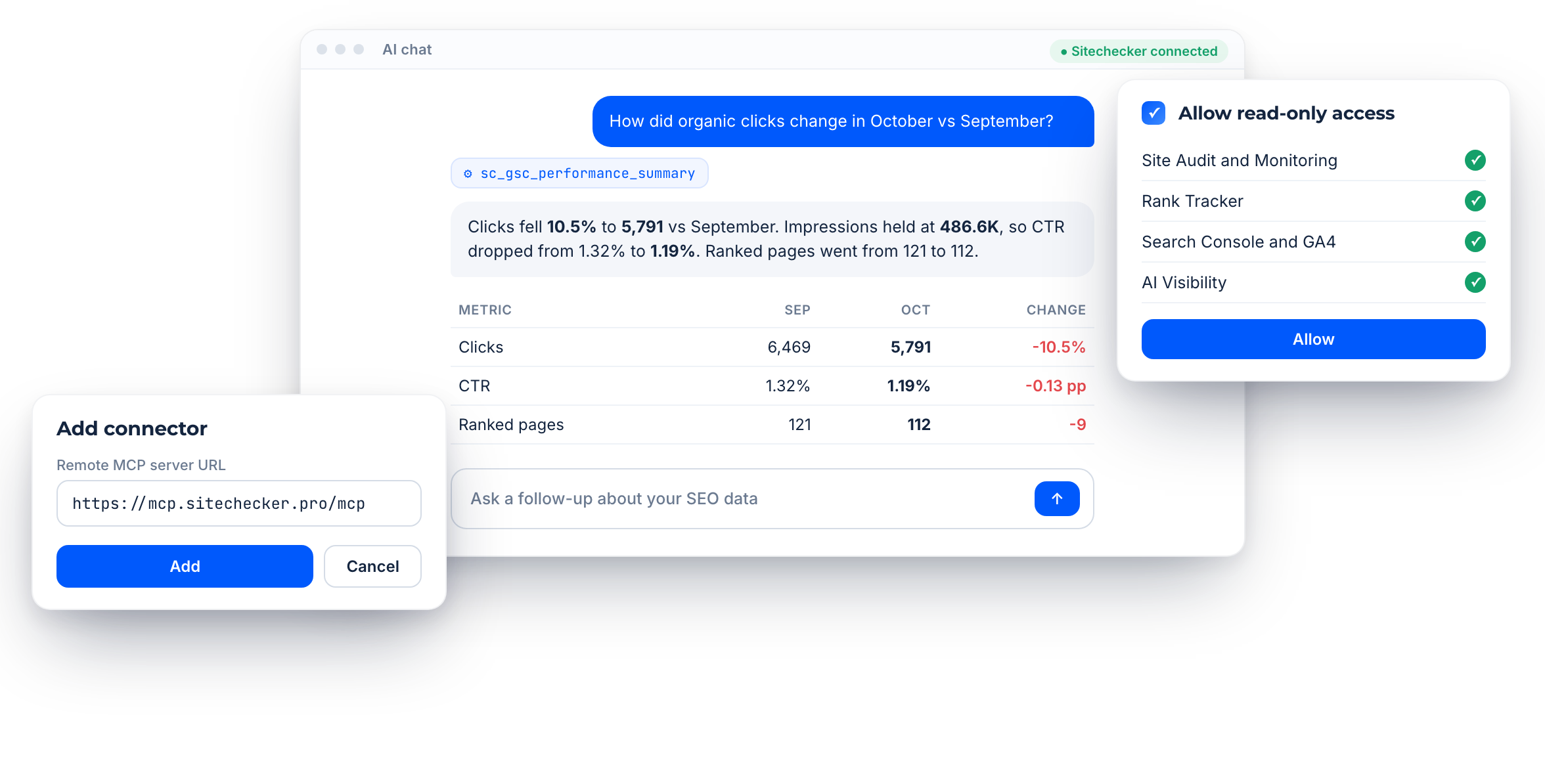
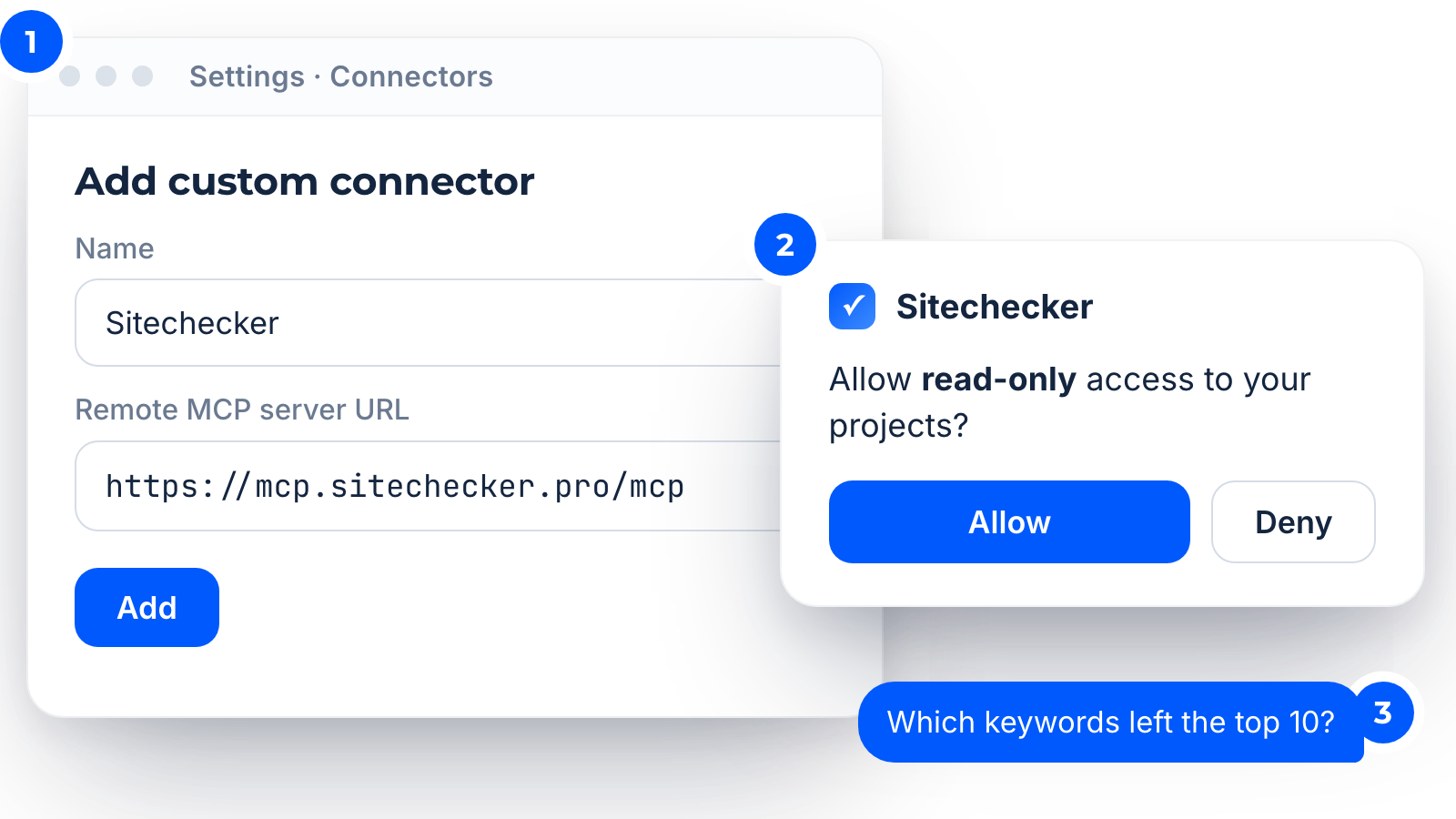
Sitechecker MCP is a hosted remote MCP server at mcp.sitechecker.pro/mcp. Add this URL as a connector in your AI client, sign in to Sitechecker and approve read-only access.
Then ask your first question. There is no local install, no Google Cloud project and no API key in your chat.
Then ask your first question. There is no local install, no Google Cloud project and no API key in your chat.
Ask in plain language
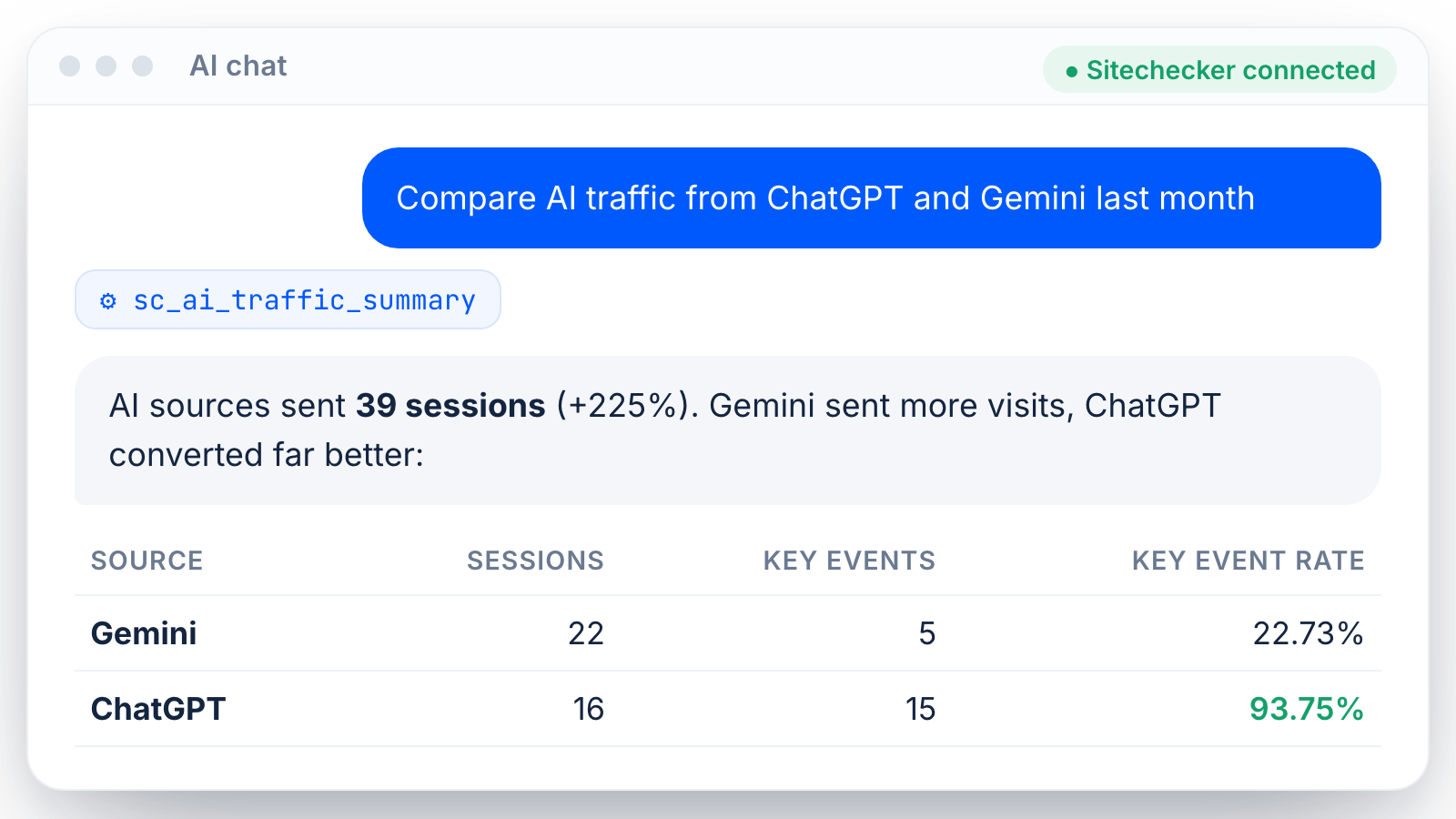
Your assistant picks the right Sitechecker data for each question and answers with real numbers from your projects.
Try prompts like “Which keywords dropped out of the top 10 this week?”, “Show critical audit issues on my blog pages” or “Compare AI traffic from ChatGPT and Gemini last month”.
Try prompts like “Which keywords dropped out of the top 10 this week?”, “Show critical audit issues on my blog pages” or “Compare AI traffic from ChatGPT and Gemini last month”.
One connection, all modules
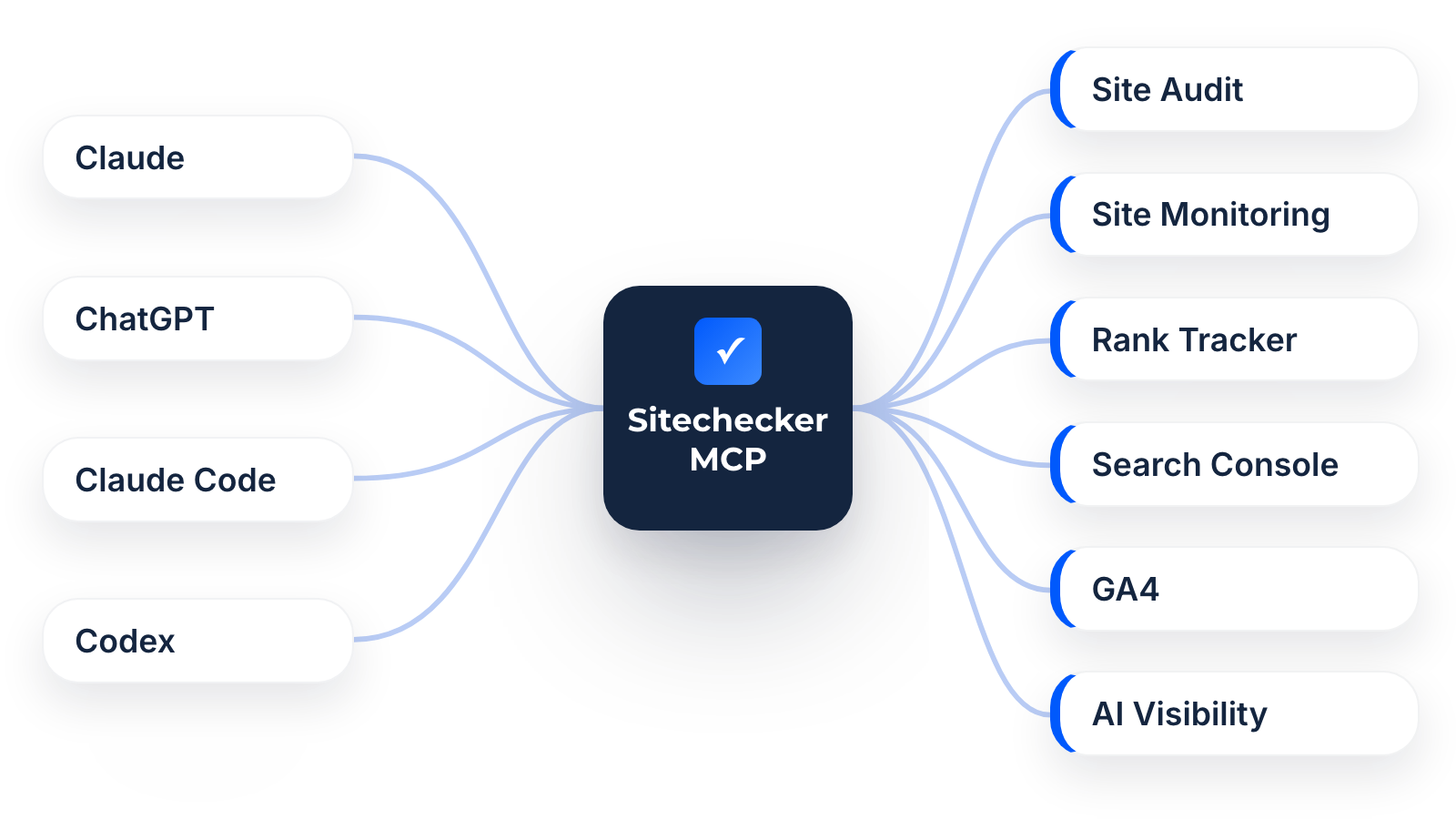
One connection covers Site Audit, Site Monitoring, Rank Tracker, Google Search Console, GA4 and AI Visibility. You do not need a separate connector for each data source.
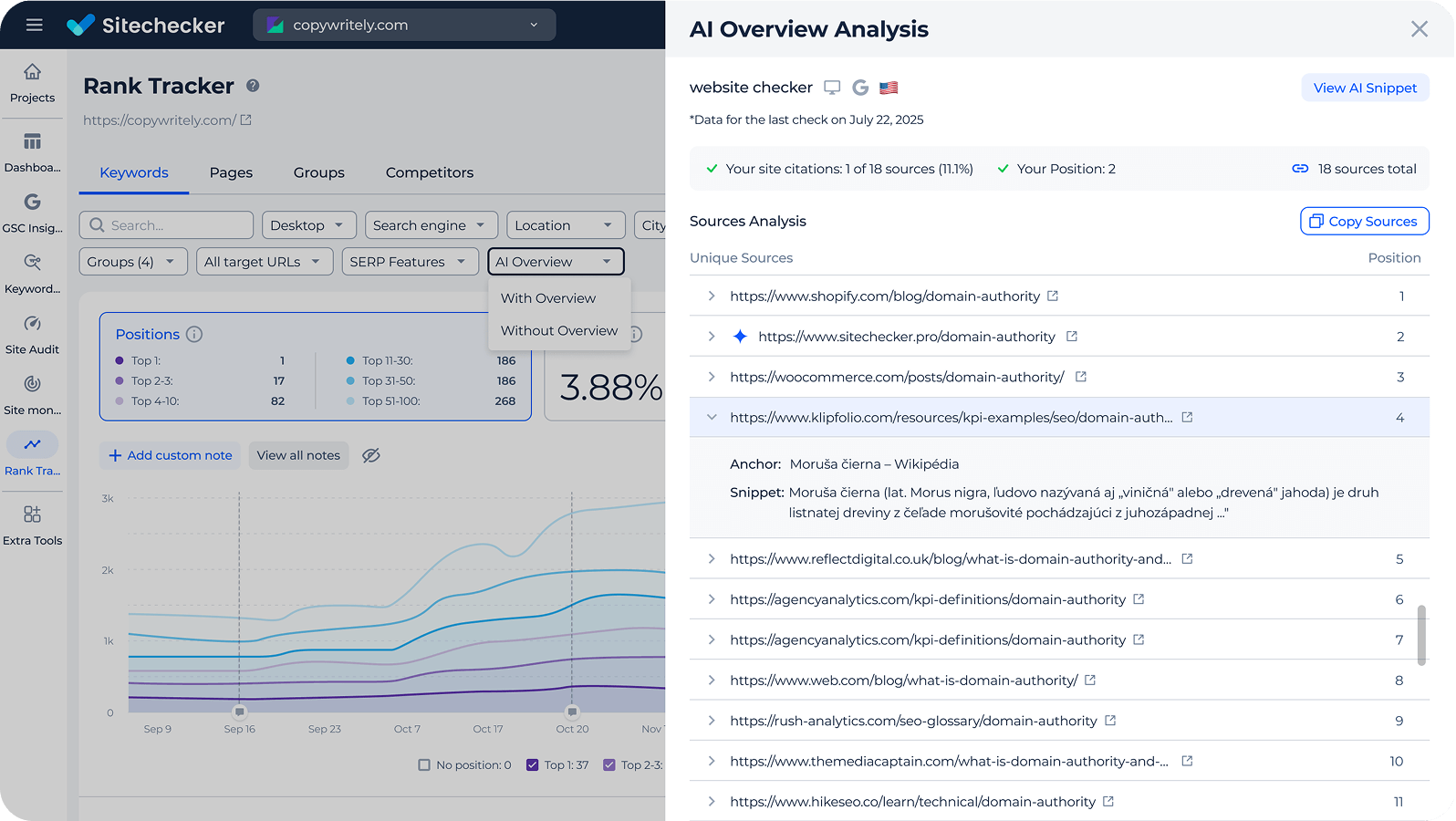
The assistant can mix sources in one answer, for example GSC clicks next to tracked positions and AI Overview citations.
The assistant can mix sources in one answer, for example GSC clicks next to tracked positions and AI Overview citations.
Inside the remote SEO MCP
Supported AI clients
Setup guides cover Claude Desktop and web, Claude Code, ChatGPT web and Codex.
Other clients that support remote MCP servers with OAuth can use the same URL [CONFIRM: Cursor and other clients work].
Other clients that support remote MCP servers with OAuth can use the same URL [CONFIRM: Cursor and other clients work].
Read-only and private
All Sitechecker MCP tools are read-only. The assistant cannot edit or delete projects, and it sees only the projects your Sitechecker account can access.
Rankings, audits and changes
Ask for tracked positions, competitors and SERP snapshots, technical issues and affected pages, or what changed between crawls.
Need the same data as JSON? Use the rank tracker API or the site audit API.
Need the same data as JSON? Use the rank tracker API or the site audit API.


Search Console and GA4
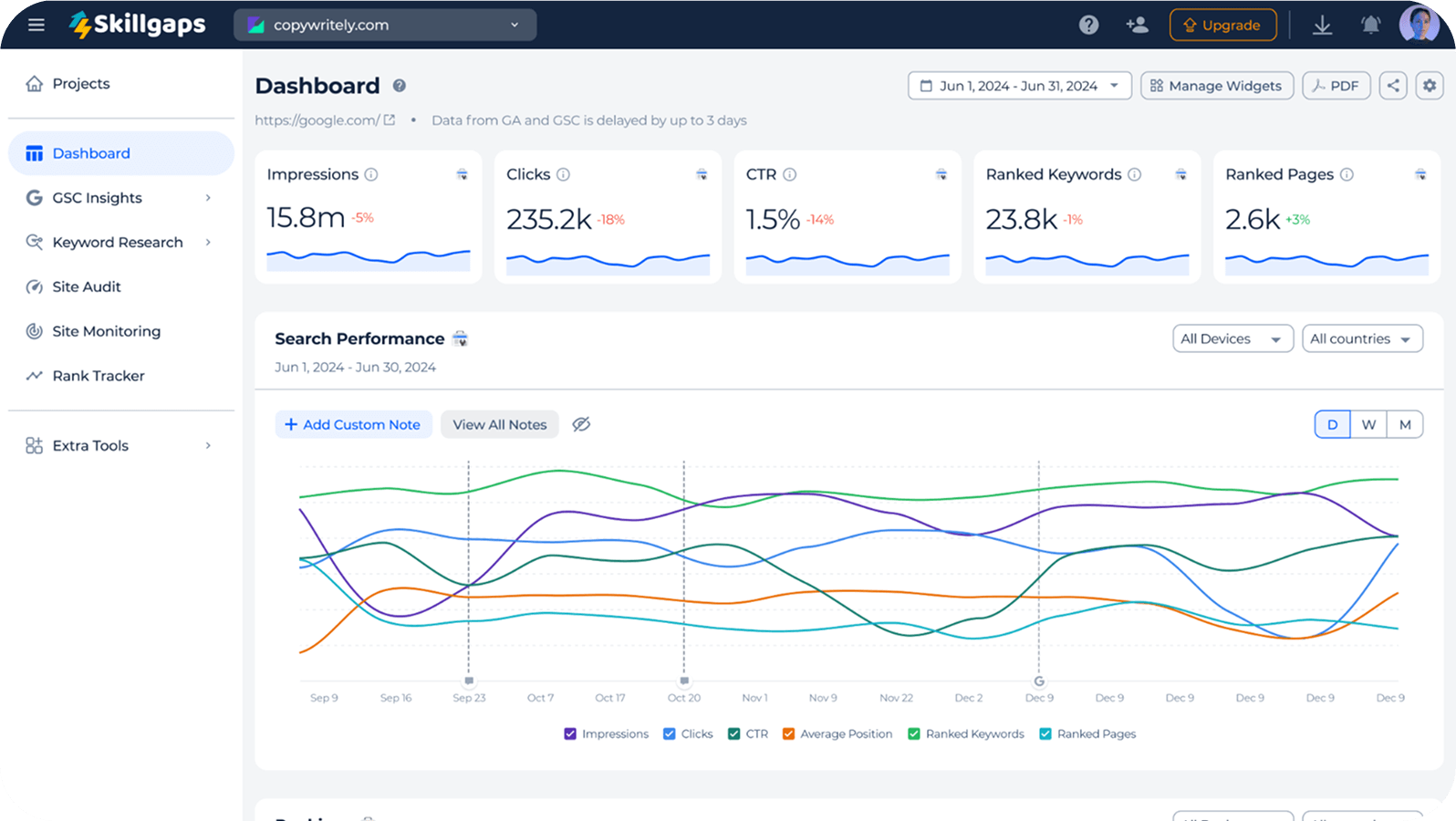
Query clicks, impressions, cannibalization, new and lost keywords, plus GA4 sessions and key events.
See how it works on the Google Search Console MCP page.
See how it works on the Google Search Console MCP page.


A GEO MCP server too
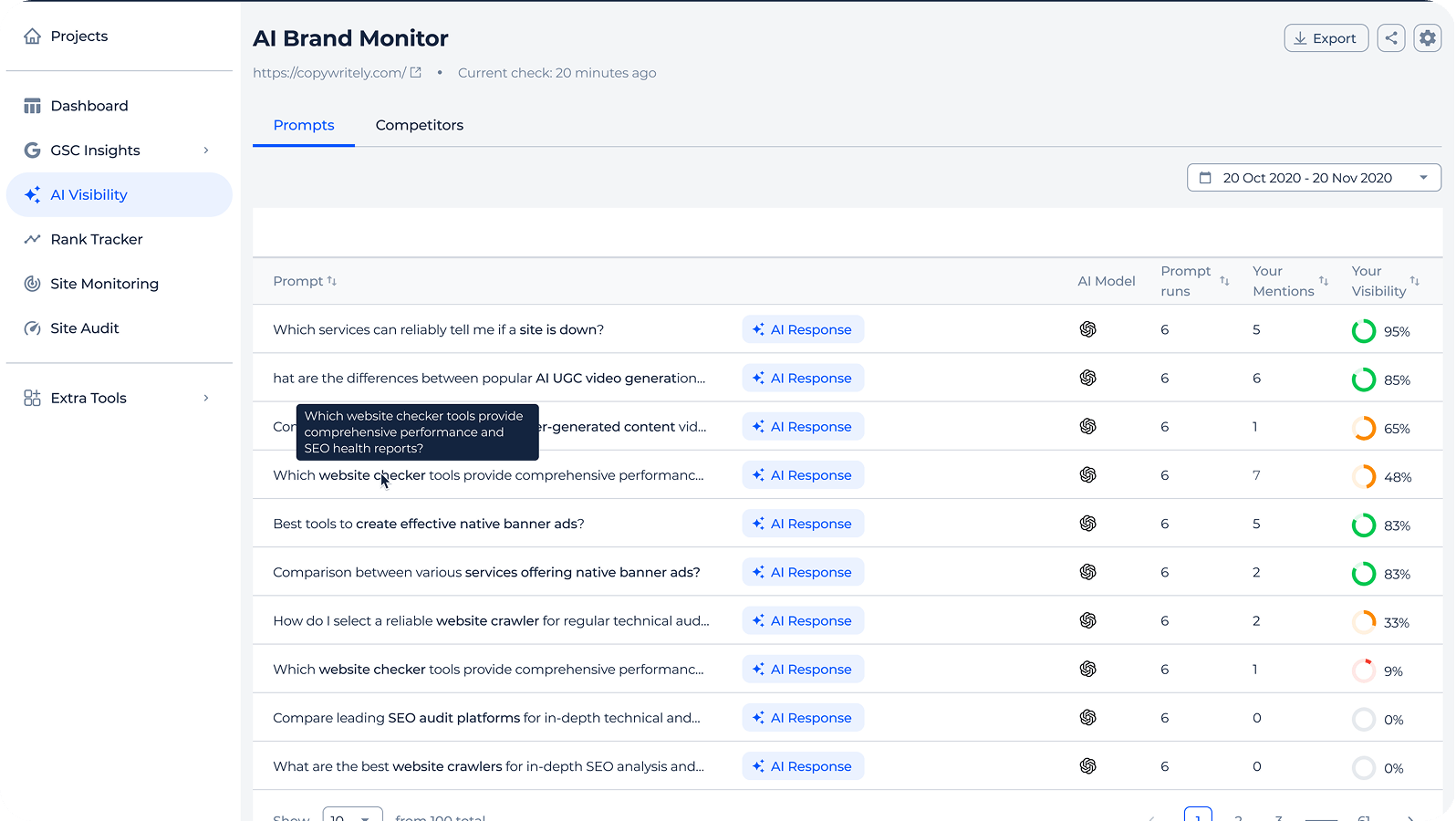
Check brand mentions and citations in ChatGPT, Gemini, Perplexity, Google AI Mode and Copilot, Google AI Overview presence and real AI referral traffic from GA4.
The same data is available in the AI visibility API.
The same data is available in the AI visibility API.
Built for agencies
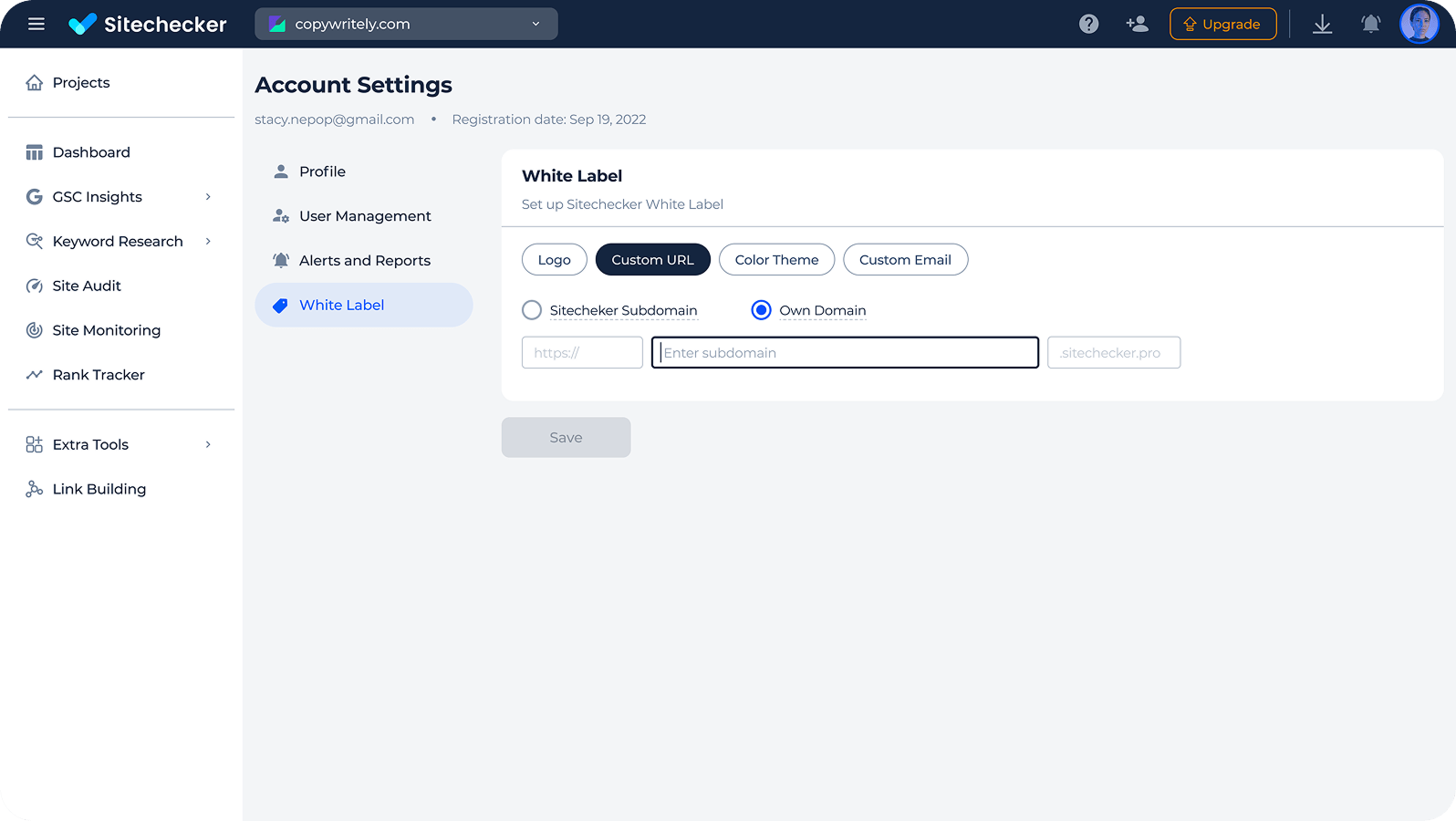
Ask about any client project in the same chat. Your plan limits for projects and features still apply.
Each connection can make up to 10 tool calls per second. All modules are also on the Sitechecker API page.
Each connection can make up to 10 tool calls per second. All modules are also on the Sitechecker API page.








Присоединяйтесь к 1000+ бизнесов, которые уже используют Sitechecker
Все наши клиенты растут после начала использования платформы. Например, Hospital Amazônia вырос более чем на 13.500 показов в поиске с марта по сентябрь.

Через два месяца произошли заметные улучшения в позициях и органическом трафике. Отслеживание обратных ссылок и позиций упрощает отслеживание изменений, но наш веб-сайт также нуждался в регулярных SEO-аудитах. Мы решили проводить аудит в Sitechecker раз в неделю, и это помогло улучшить SEO-результаты. Аудит действительно удобен и позволяет быстро и эффективно оптимизировать сайт.

До использования Sitechecker наша средняя позиция в мобильной выдаче была около #4. Теперь мы #1.



FAQ
What is an SEO MCP server?
An MCP server connects an AI assistant to an outside data source through the Model Context Protocol. An SEO MCP server gives the assistant your real SEO data, so it answers with numbers instead of guesses.
Sitechecker MCP gives Claude, ChatGPT and other clients read-only access to your Sitechecker projects.
Sitechecker MCP gives Claude, ChatGPT and other clients read-only access to your Sitechecker projects.
Which AI assistants work with Sitechecker MCP?
Sitechecker has setup guides for Claude Desktop and web, Claude Code, ChatGPT web and Codex. You can use it as a Claude SEO connector or a ChatGPT SEO connector with the same URL.
Clients like Cursor that support remote MCP with OAuth should connect the same way [CONFIRM: Cursor tested].
Clients like Cursor that support remote MCP with OAuth should connect the same way [CONFIRM: Cursor tested].
Do I need a developer to set it up?
No. You paste one URL into your AI client, sign in to Sitechecker and approve access. There is no API key, no code and no local server.
Is Sitechecker MCP included in my plan?
Sitechecker MCP is available on paid Basic, Standard, Premium and Custom plans. It is not available during a trial.
Each connection can make up to 10 tool calls per second. If the limit is reached, the server tells the assistant how long to wait.
Each connection can make up to 10 tool calls per second. If the limit is reached, the server tells the assistant how long to wait.
How is the MCP different from the API and the app?
The app is where you set up projects and read reports. The MCP lets you ask questions about that data inside an AI assistant.
The Sitechecker API is for scripts, dashboards and automations that need raw JSON.
The Sitechecker API is for scripts, dashboards and automations that need raw JSON.
Can the assistant change my projects?
No. All MCP tools are read-only. The assistant can read data but cannot create, edit or delete anything in your account.