ChatGPT visibility tracker
Track your visibility, citations, and competitors in ChatGPT answers, refreshed every day.
Inside the ChatGPT visibility tracker
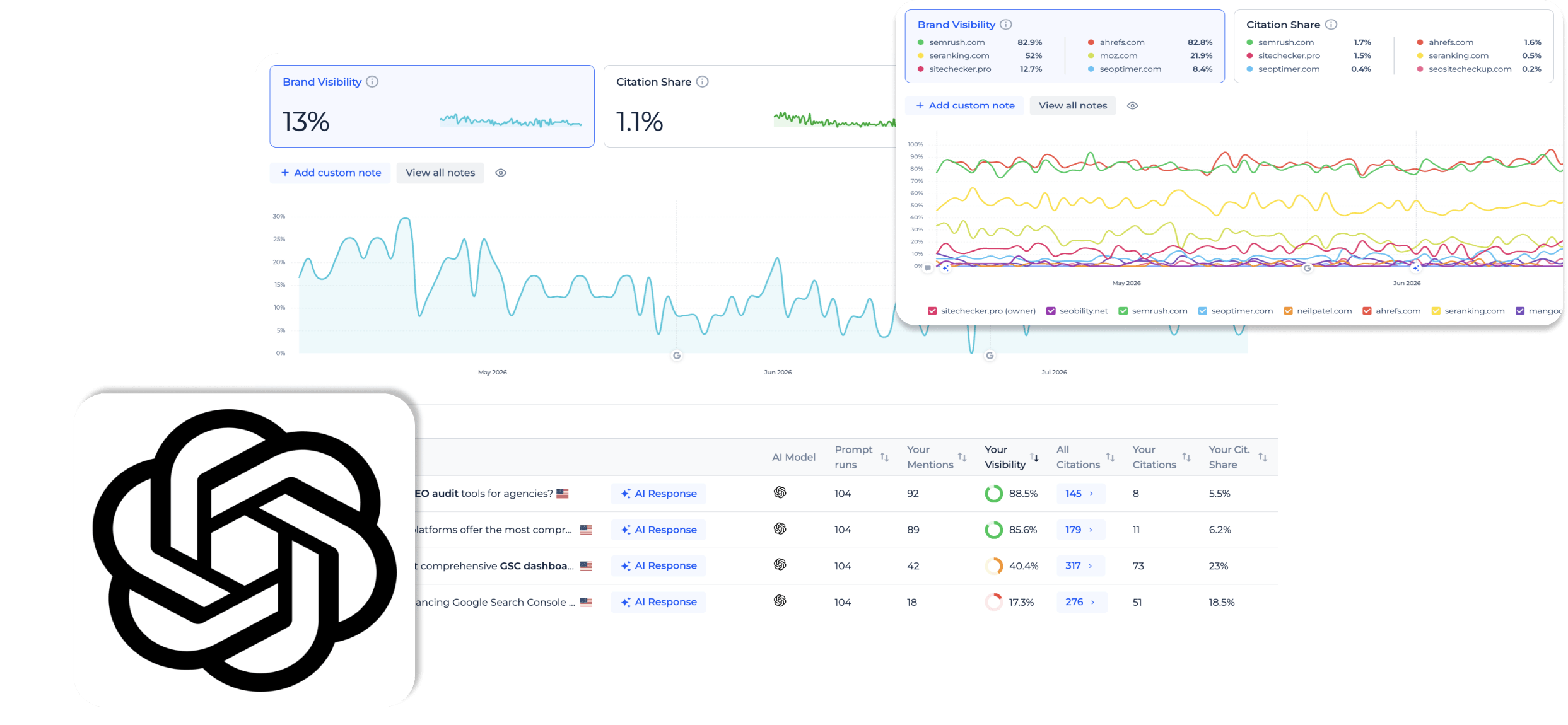
Brand visibility
Brand visibility is the percentage of prompt runs in the selected period where ChatGPT mentions your brand.
It gives you one clear number for how present your brand is in AI answers. The metric updates daily and follows whatever keyword and country filters you apply.
It gives you one clear number for how present your brand is in AI answers. The metric updates daily and follows whatever keyword and country filters you apply.
Citations tab
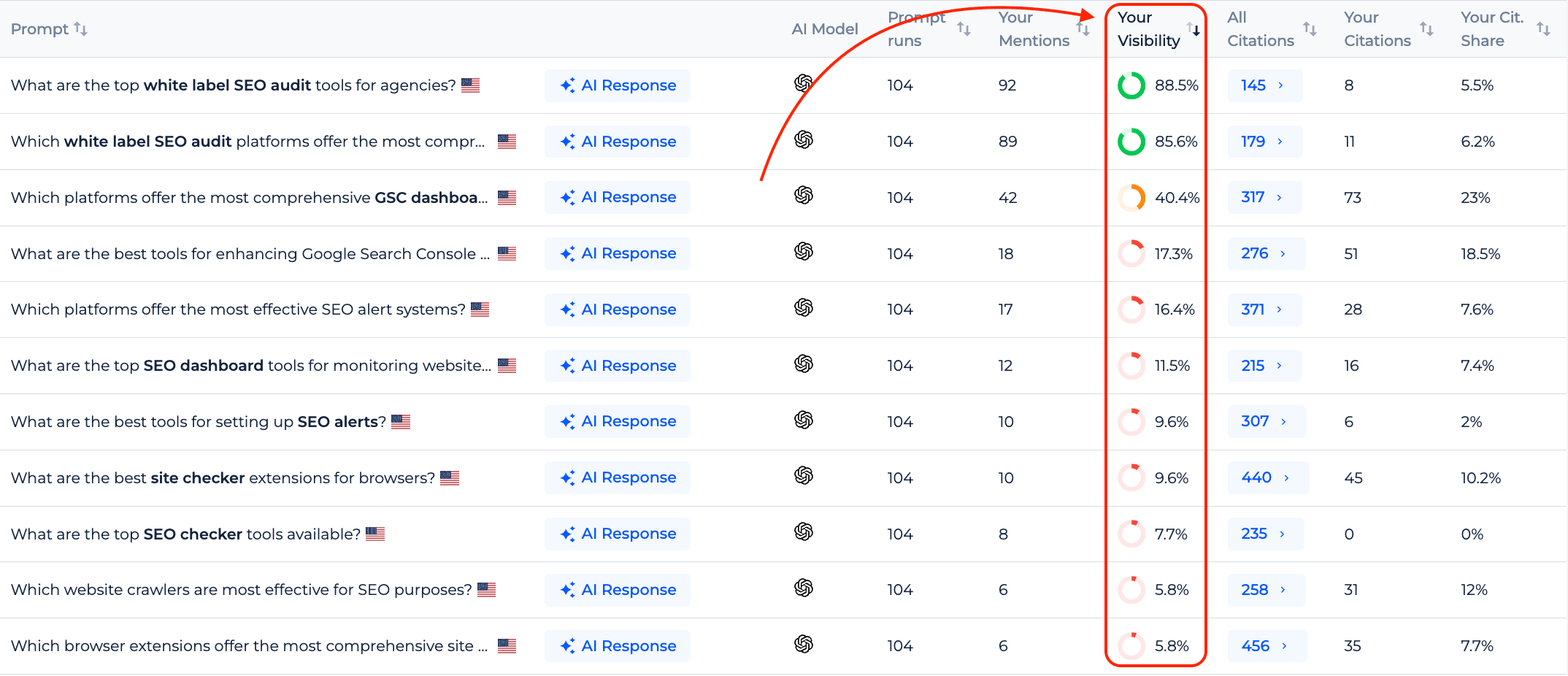
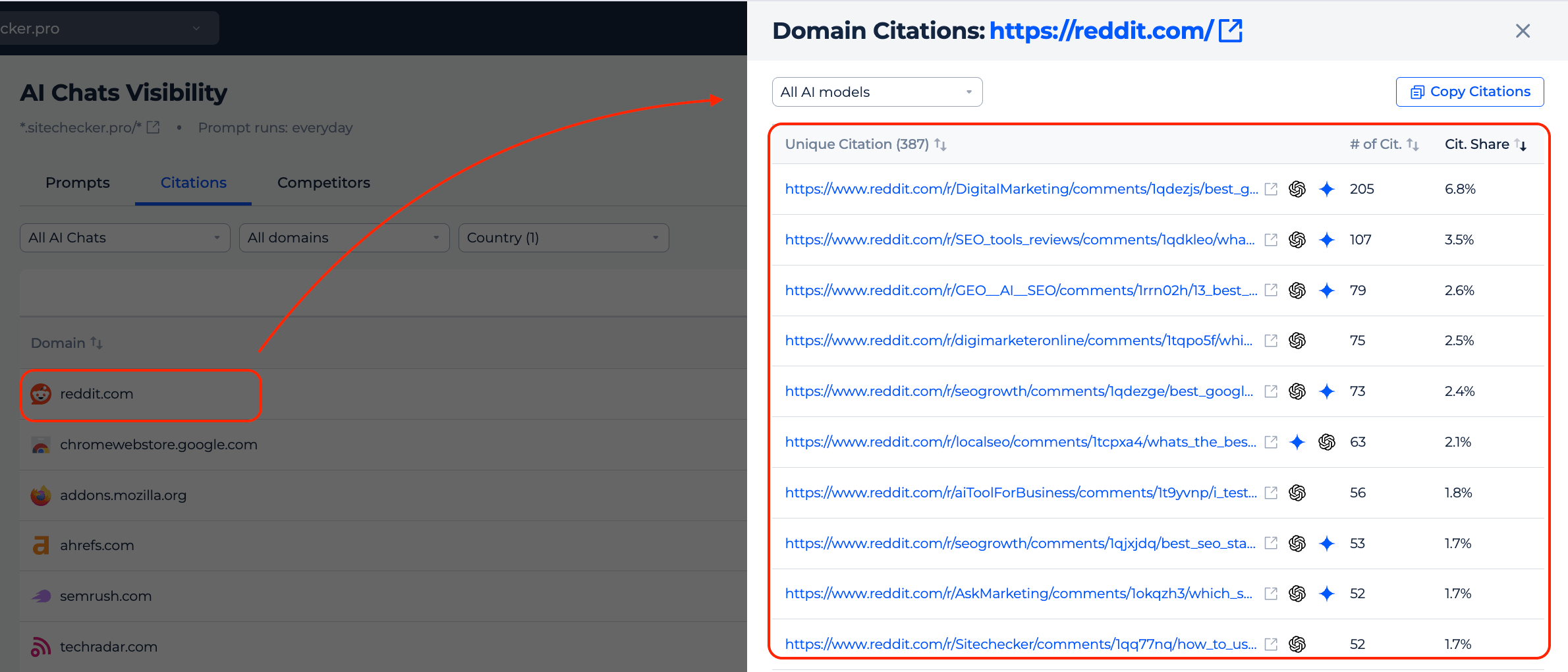
The Citations tab shows every domain ChatGPT cites across your prompts, ranked by citation share.
You can open any domain to see the exact URLs behind its citations and how often each one appears. Filter by your own domain or competitor domains to see which sources ChatGPT relies on most.
You can open any domain to see the exact URLs behind its citations and how often each one appears. Filter by your own domain or competitor domains to see which sources ChatGPT relies on most.
Daily prompt runs
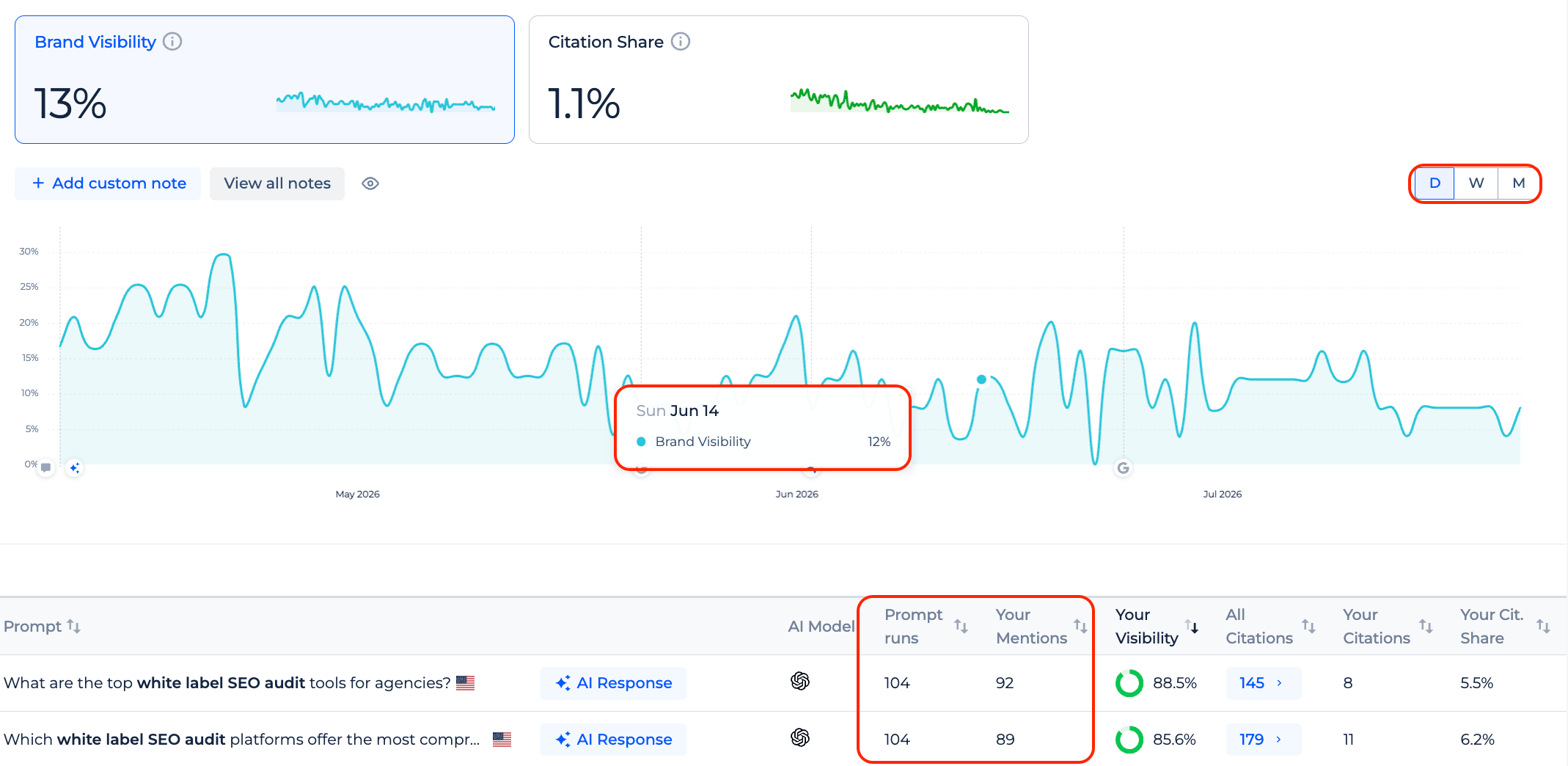
Every prompt you track runs once a day, so a 28-day period gives you 28 data points per prompt.
This steady cadence, like our rank tracker, lets you spot trends and shifts in how ChatGPT talks about your brand. No manual checks or re-runs needed.
This steady cadence, like our rank tracker, lets you spot trends and shifts in how ChatGPT talks about your brand. No manual checks or re-runs needed.
Competitors tab
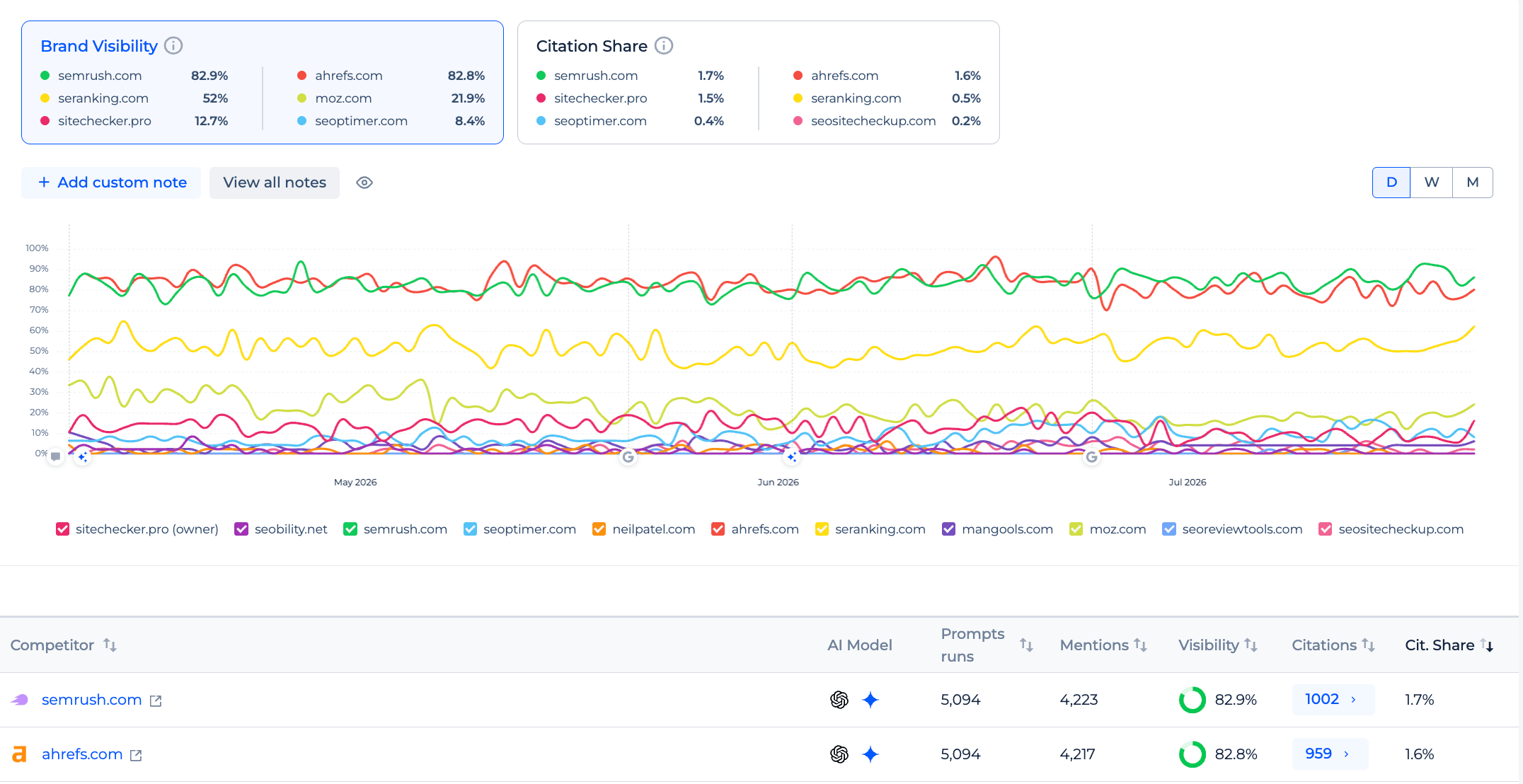
The Competitors tab compares your brand's visibility and citation share in ChatGPT against your competitors.
Your domain and up to ten competitor domains appear on the same chart, so you can track who ChatGPT favors over time.
The table below aggregates mentions, visibility, and citation share for every domain across all your prompts.
Your domain and up to ten competitor domains appear on the same chart, so you can track who ChatGPT favors over time.
The table below aggregates mentions, visibility, and citation share for every domain across all your prompts.
Source highlighting
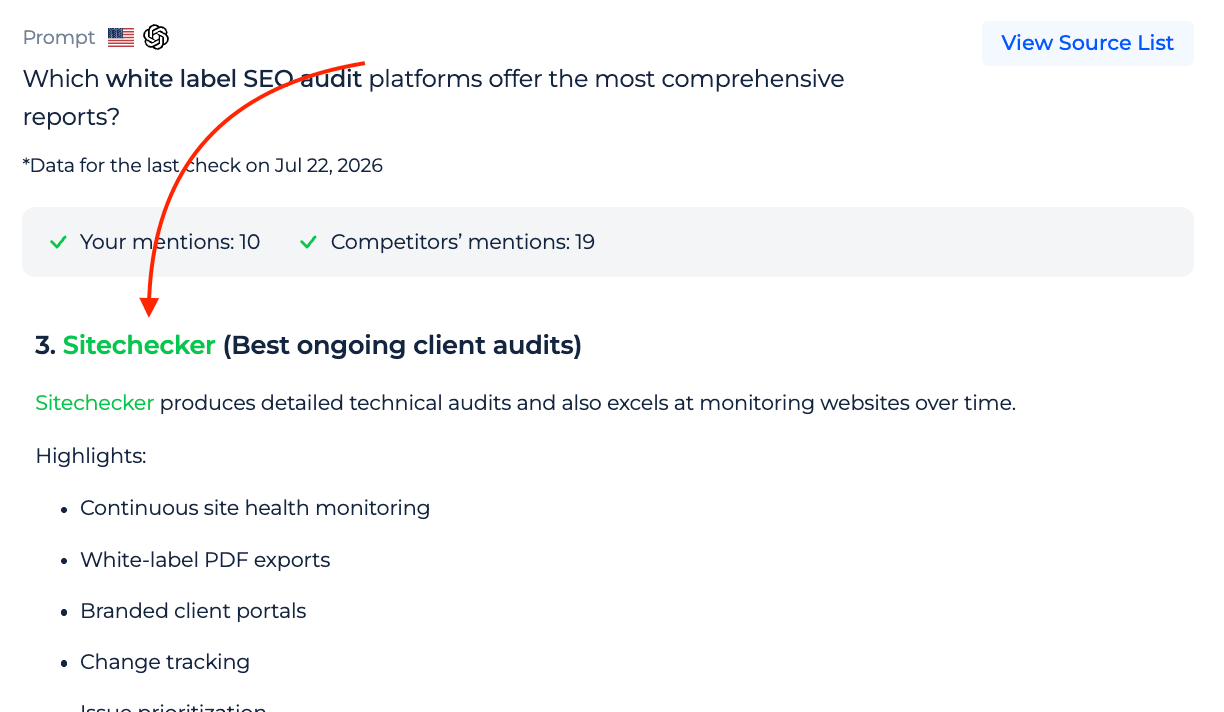
In every ChatGPT response, your domain is marked in blue and competitor domains in orange.
The same color coding applies to brand mentions inside the answer text. You can open any cited URL in a new tab to check the source yourself.
The same color coding applies to brand mentions inside the answer text. You can open any cited URL in a new tab to check the source yourself.
FAQ
What is a ChatGPT visibility tracker?
It is a tool that measures how often ChatGPT mentions your brand and cites your website in its answers.
You choose keywords and prompts, and the tracker runs them daily to report your brand visibility and citation share over time.
You choose keywords and prompts, and the tracker runs them daily to report your brand visibility and citation share over time.
How often does the tracker check ChatGPT?
Each prompt runs once a day.
Over a 28-day period that gives you 28 runs per prompt, so you get a consistent daily record rather than a one-off snapshot.
Over a 28-day period that gives you 28 runs per prompt, so you get a consistent daily record rather than a one-off snapshot.
Can I compare my brand with competitors in ChatGPT?
Yes. The Competitors tab puts your domain next to up to ten competitor domains and shows brand visibility and citation share for each.
All metrics are aggregated across your prompts for the period you select.
All metrics are aggregated across your prompts for the period you select.
Can I see the actual ChatGPT answer?
Yes. For any prompt you can open the latest ChatGPT response and view the full text with your brand and competitor mentions highlighted.
The view also lists every source ChatGPT cited so you can check them yourself.
The view also lists every source ChatGPT cited so you can check them yourself.
Which plans include the ChatGPT visibility tracker?
It is available on the Standard and Premium plans.
Free and Basic users see an upgrade option and can move to Standard to get access.
Free and Basic users see an upgrade option and can move to Standard to get access.